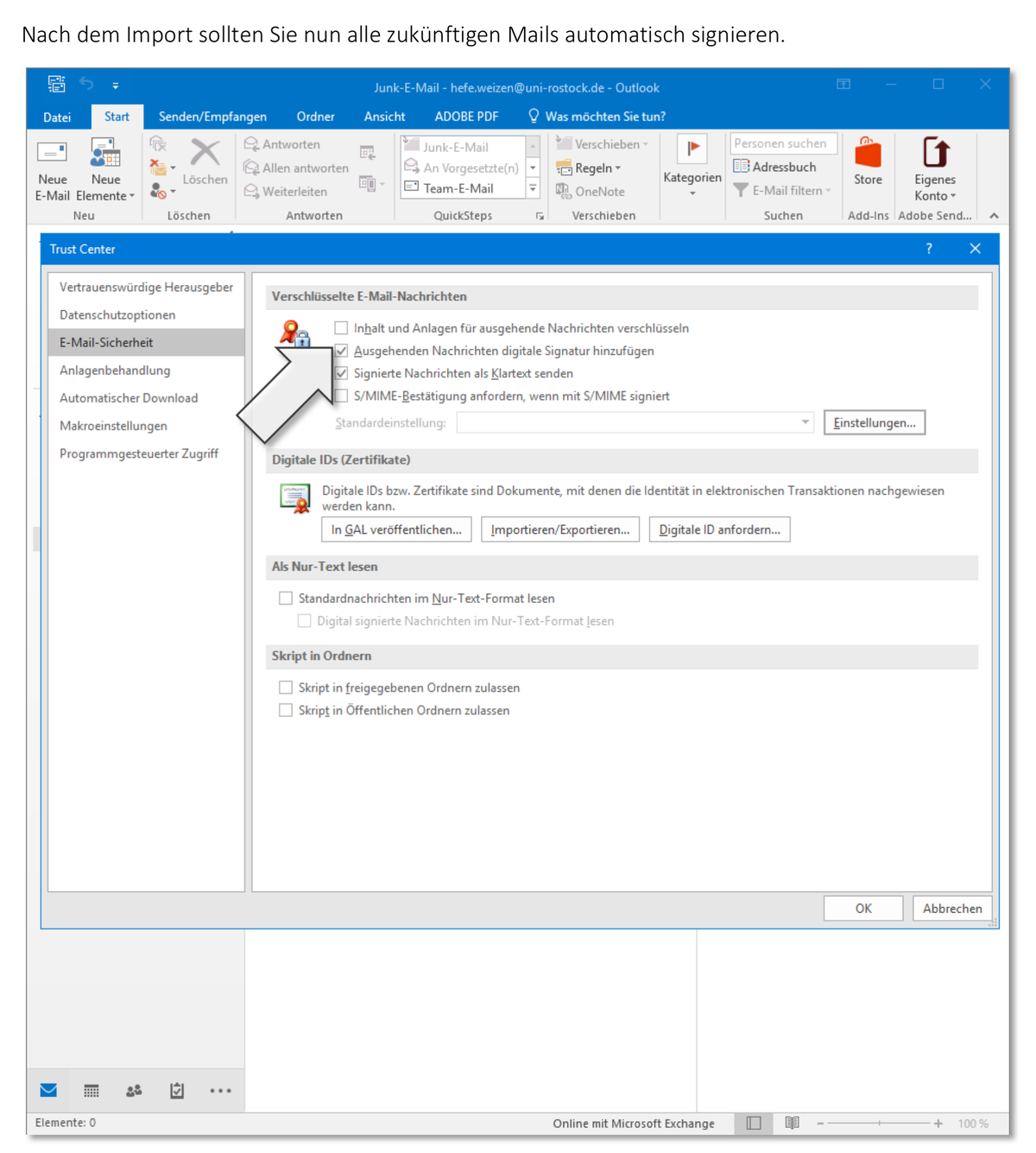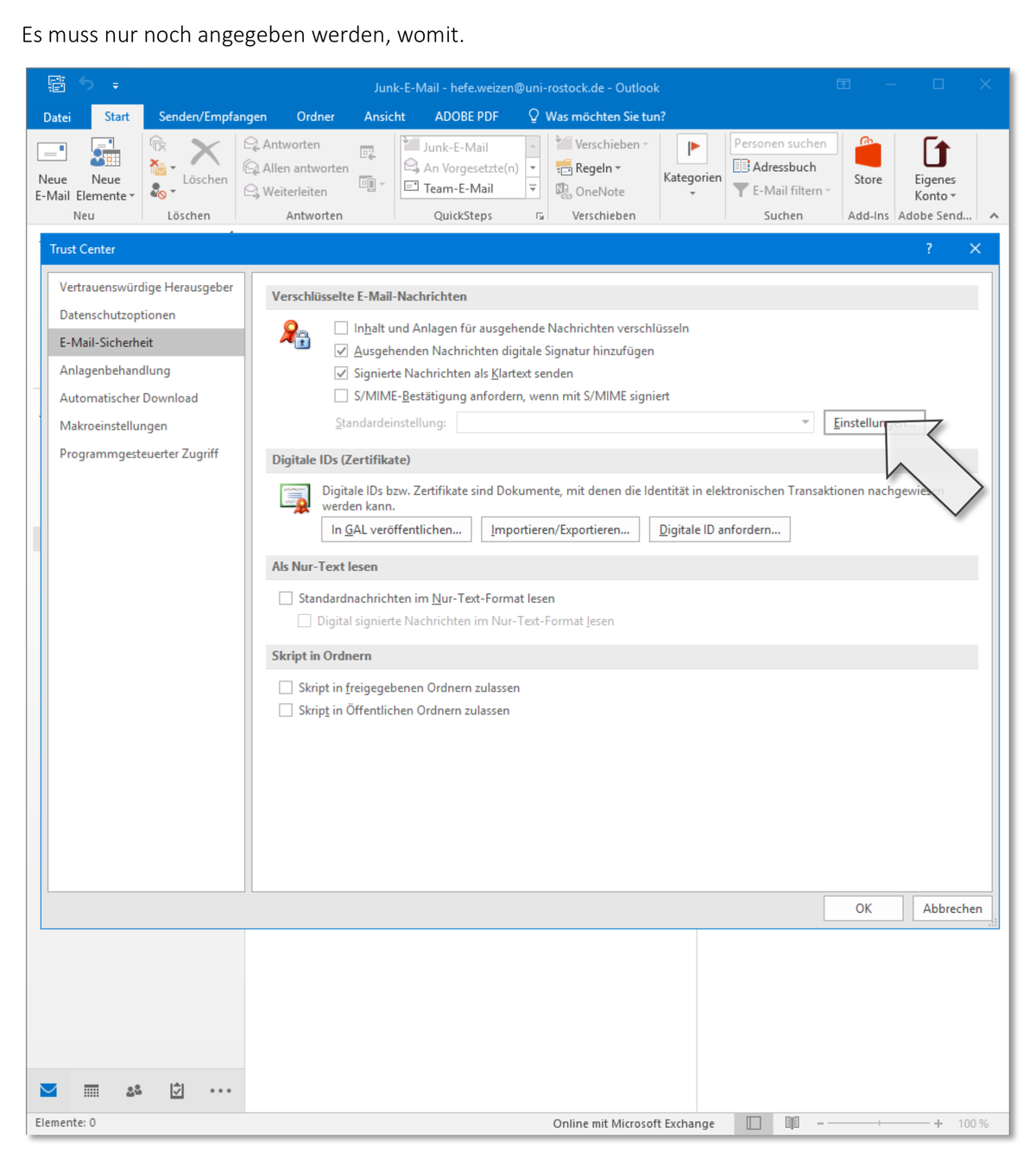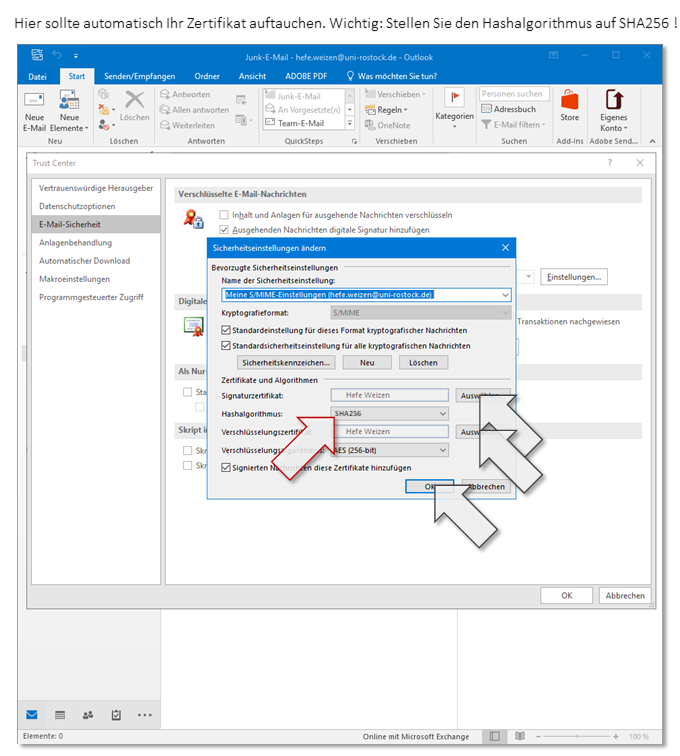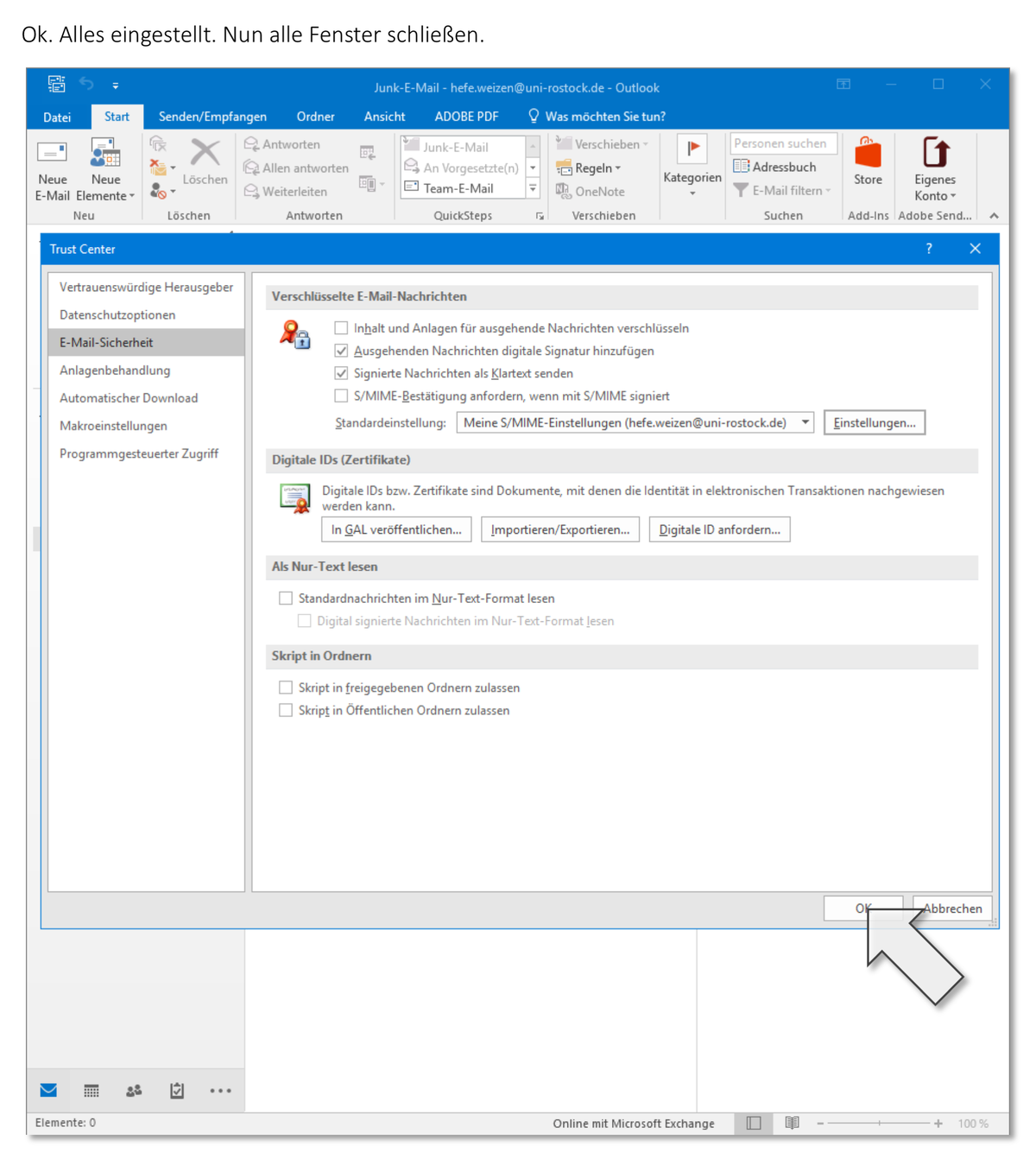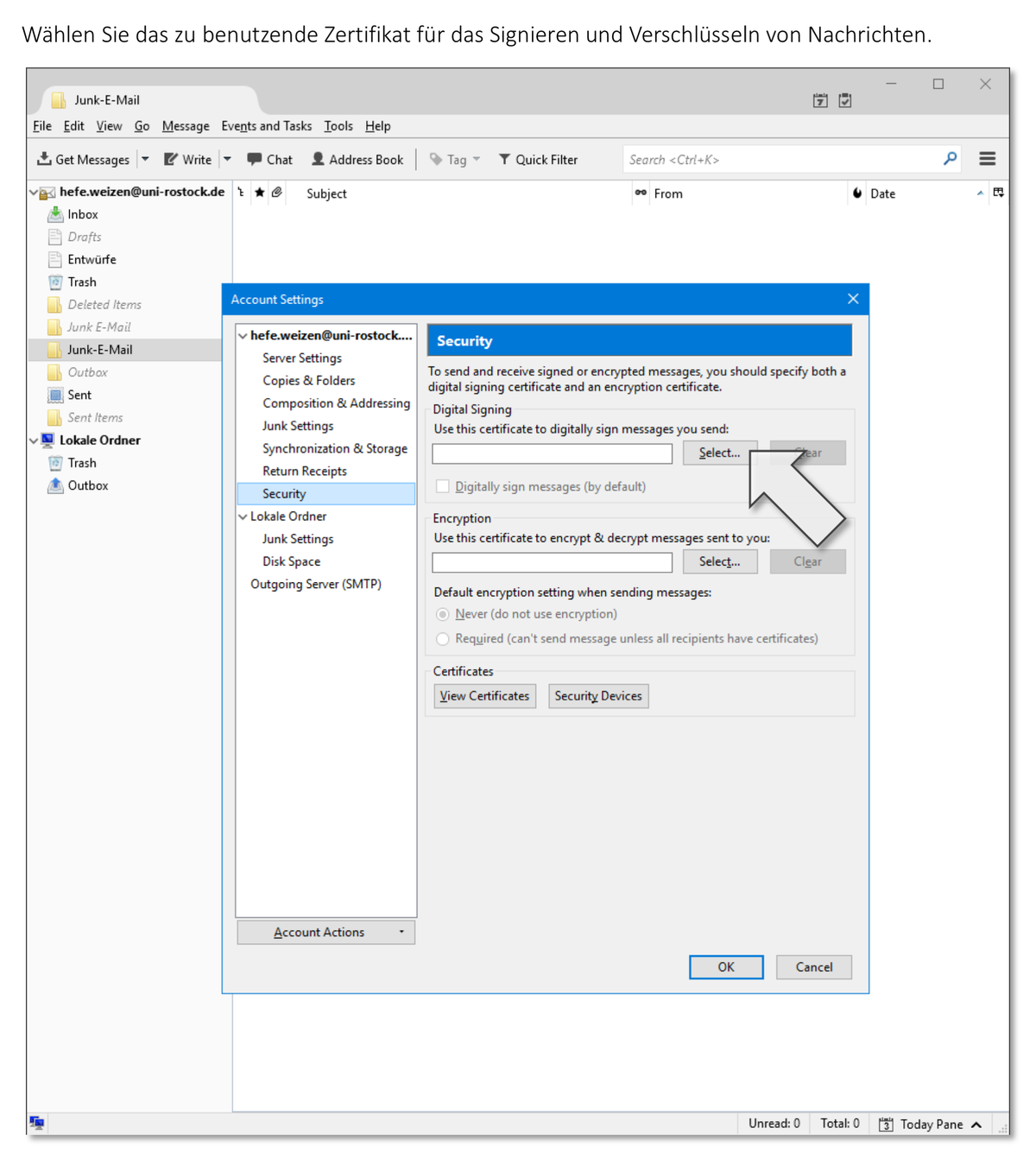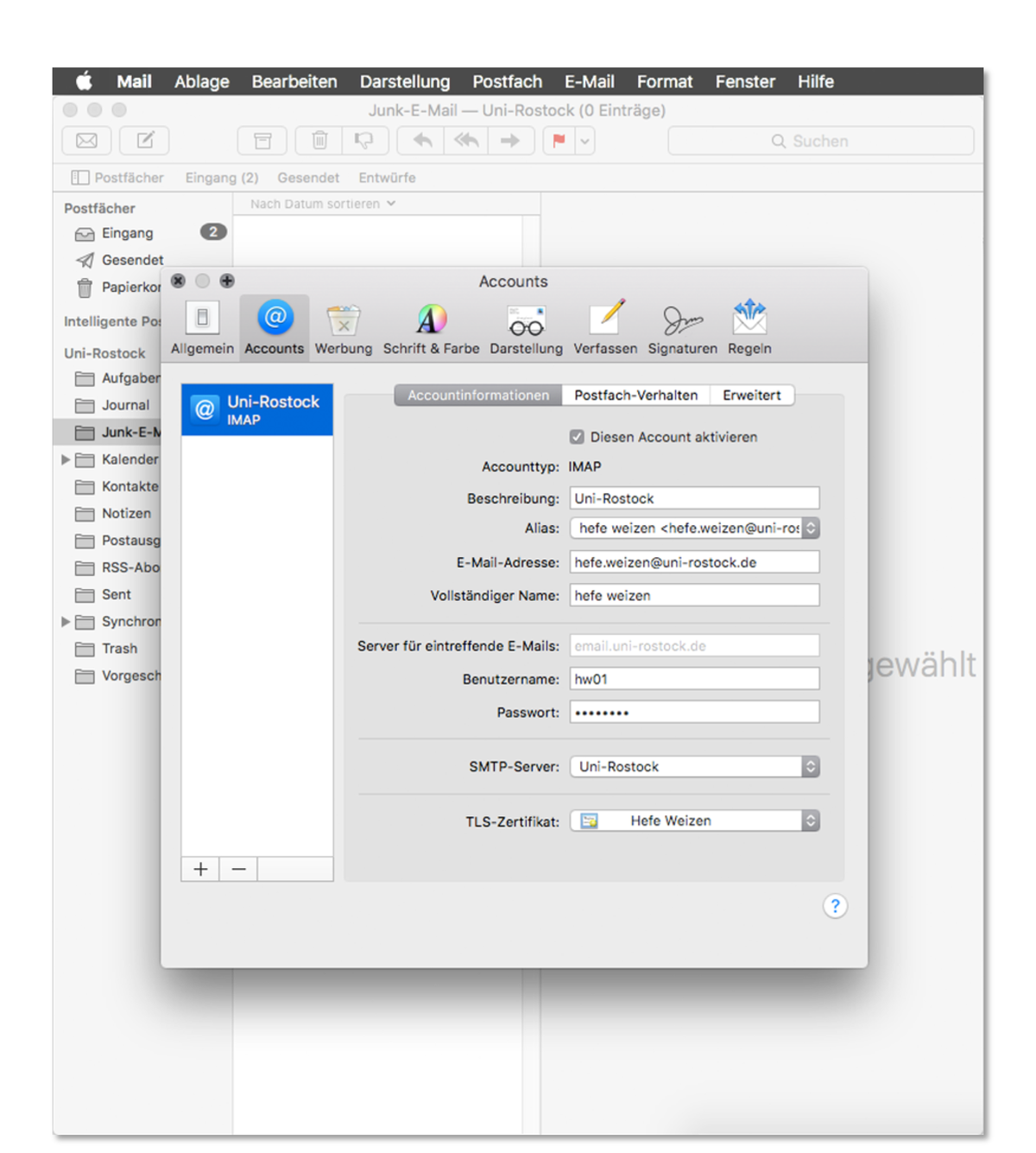

Signing emails is closely related to sealing letters: The impressed seal confirms the sender of the letter, and the integrity of the seal shows that the message has not been altered. A digital signature does the same using your certificate and your private key.
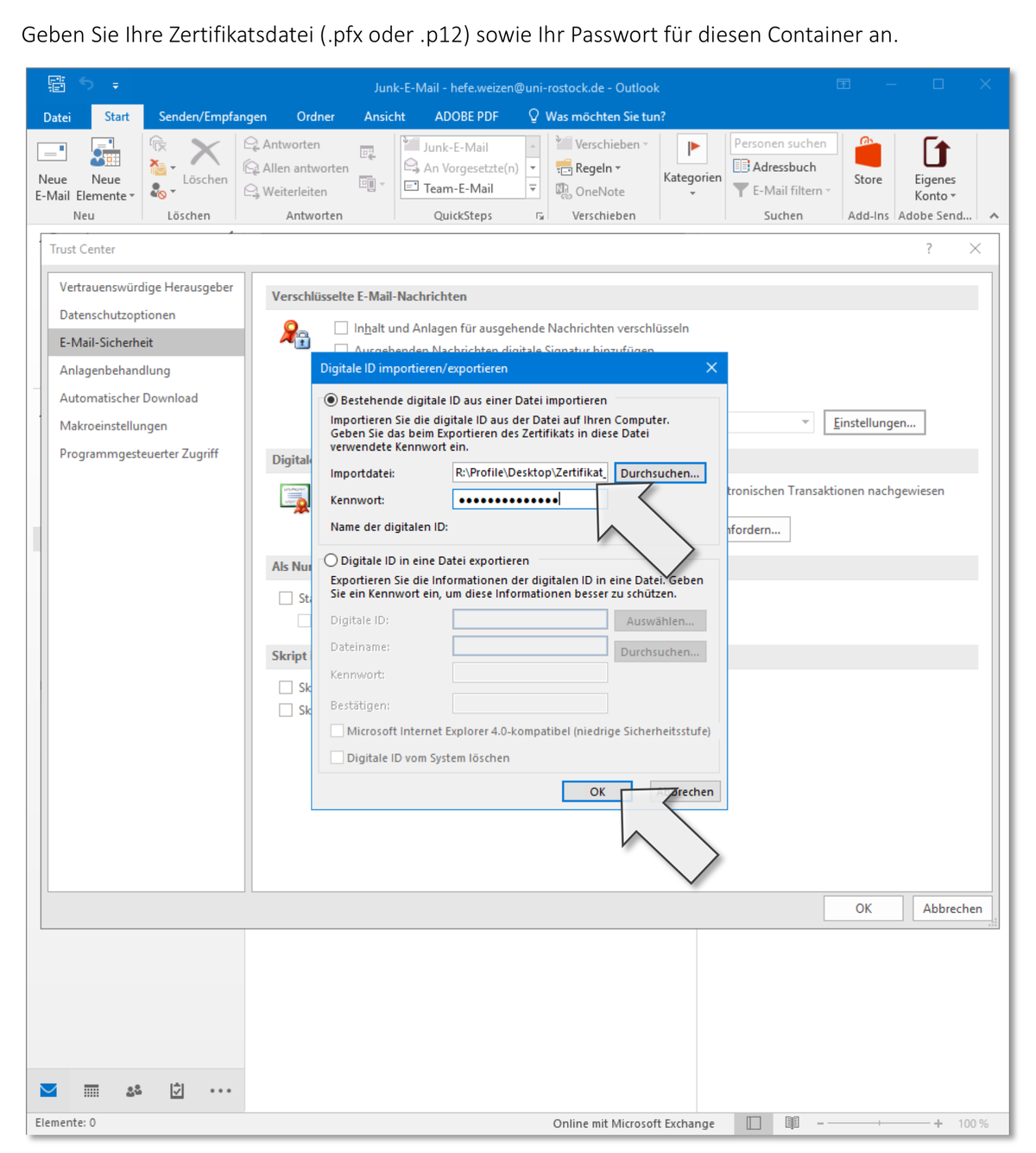
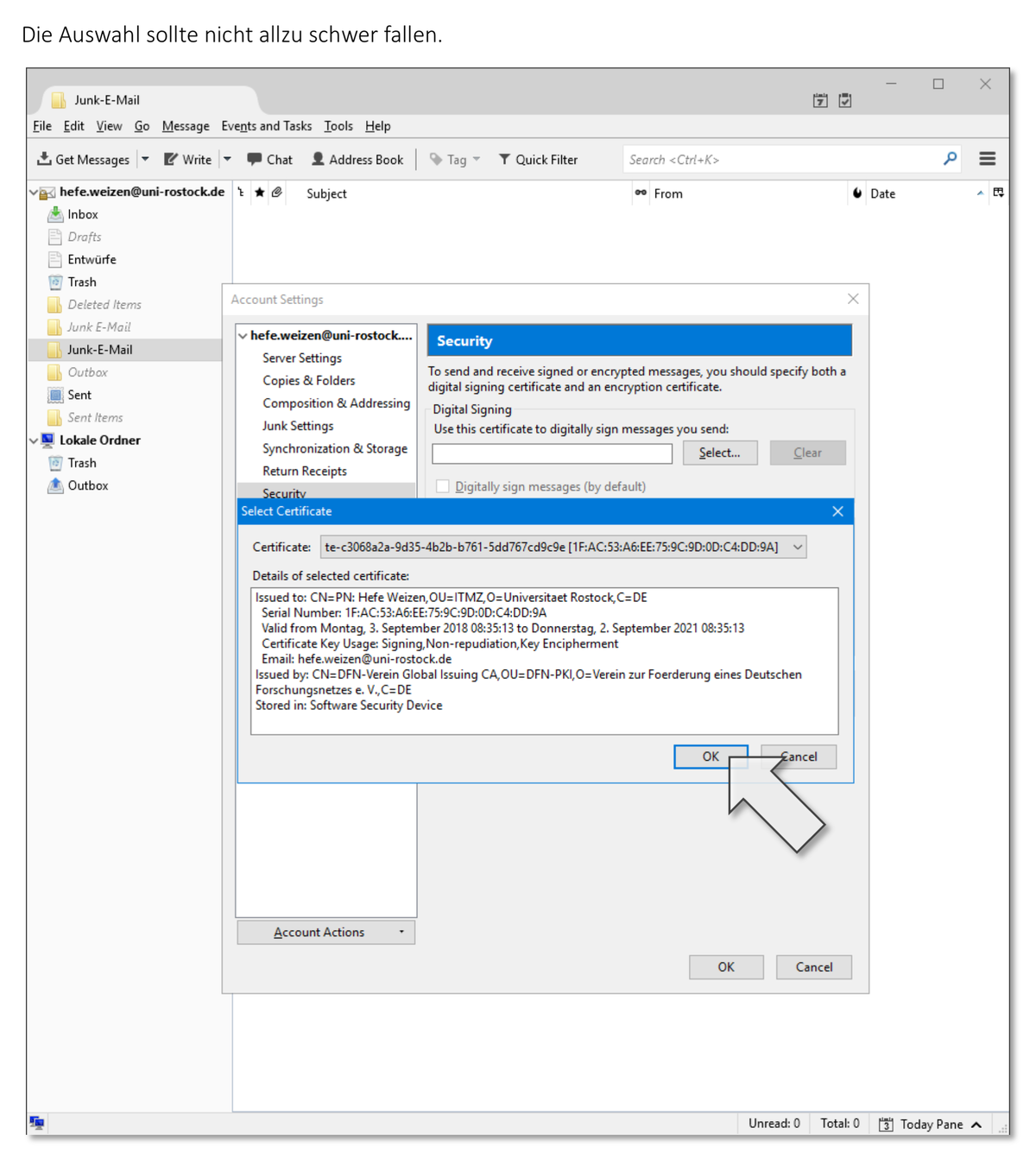
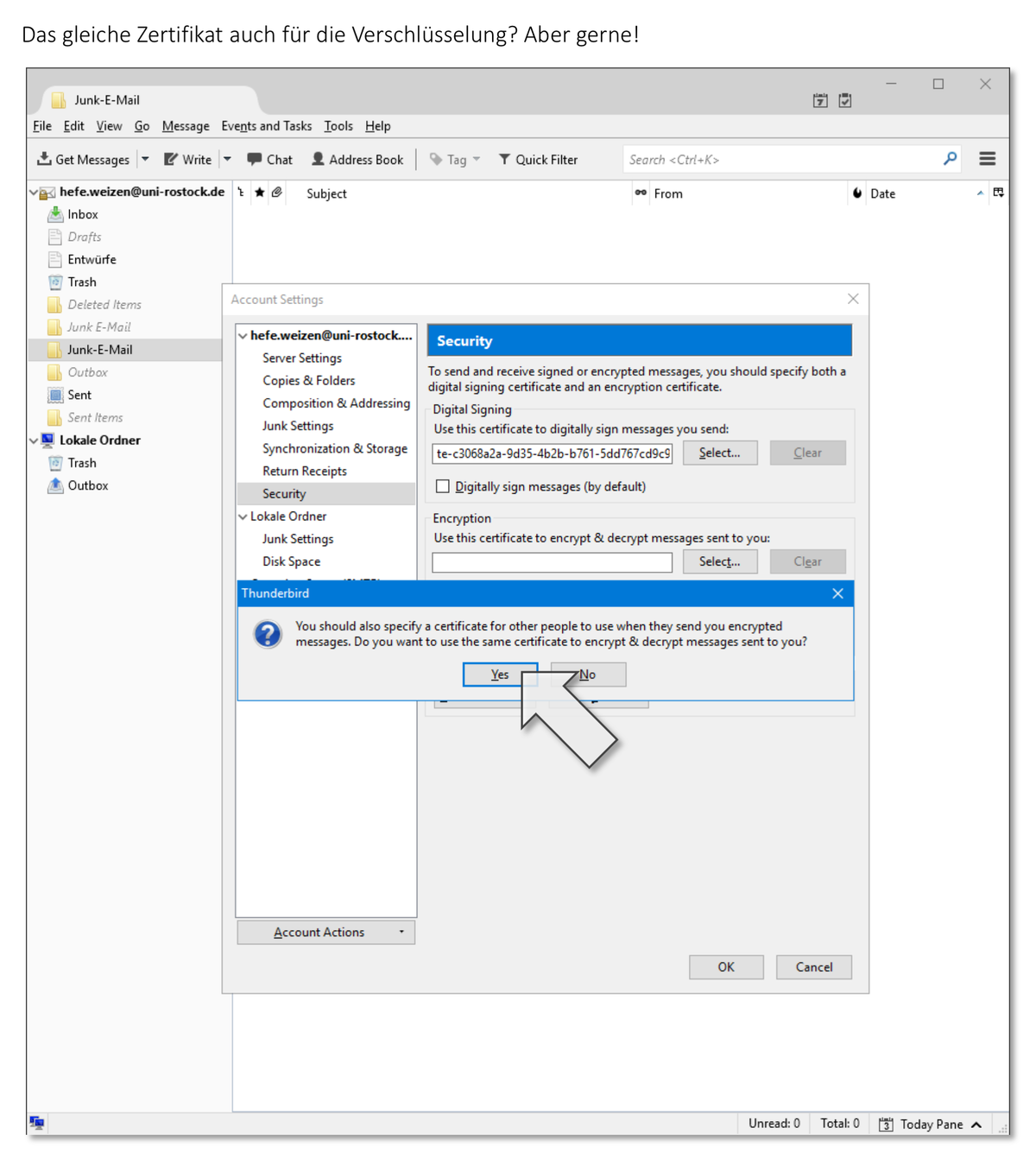
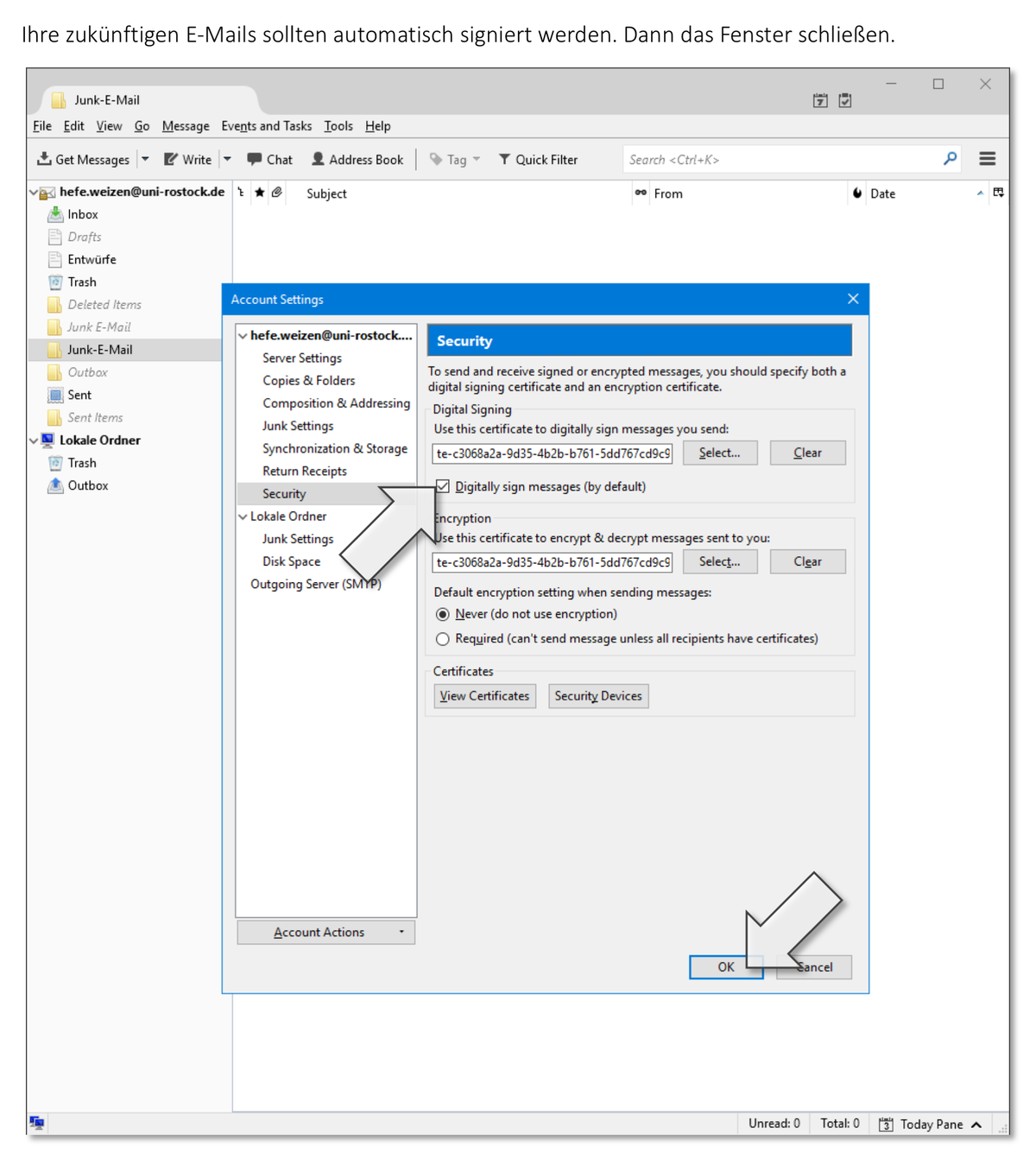
Here we show you how to sign your emails. The prerequisite for this is your user certificate including the private key in a corresponding file.
Setup
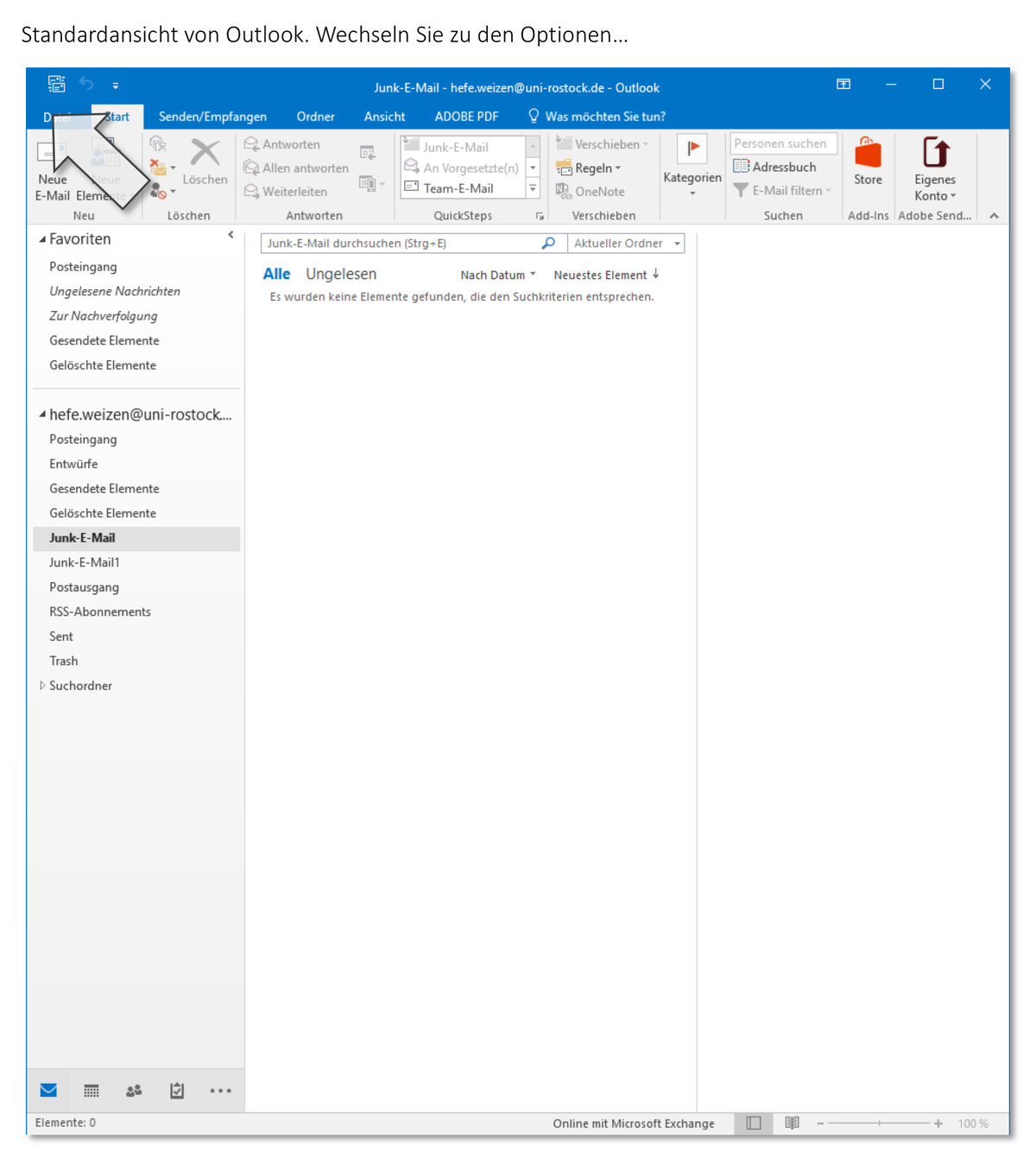
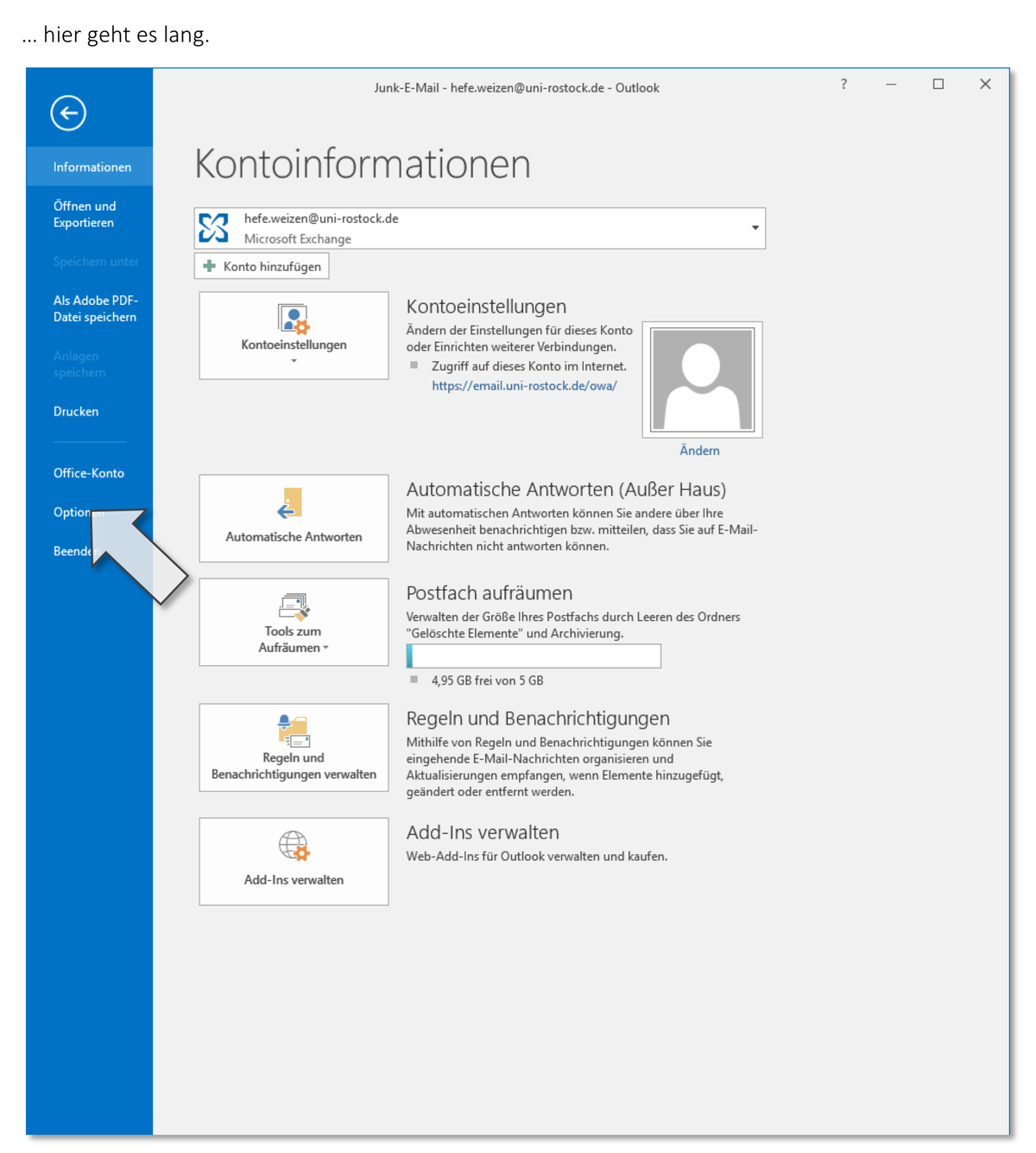
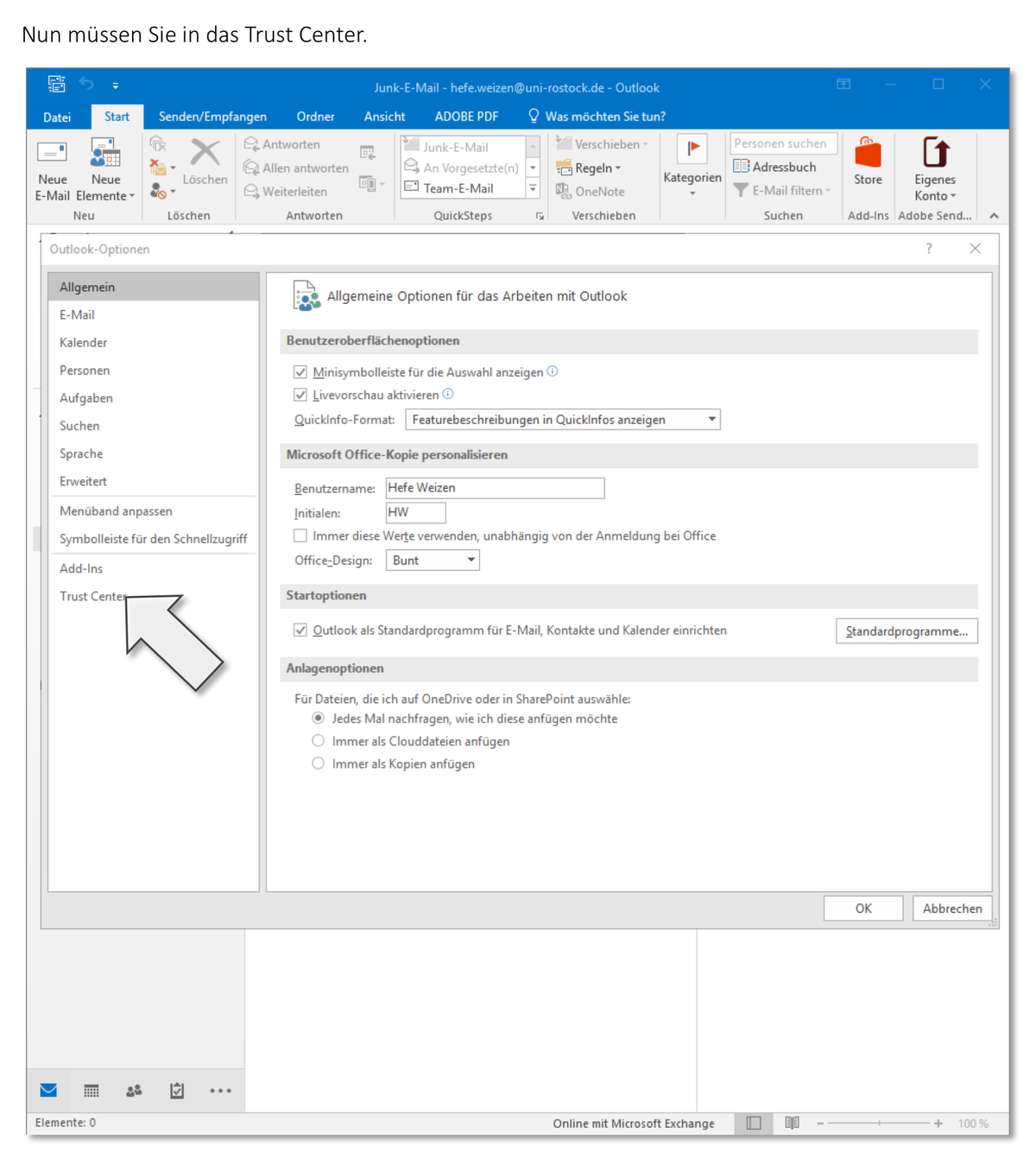
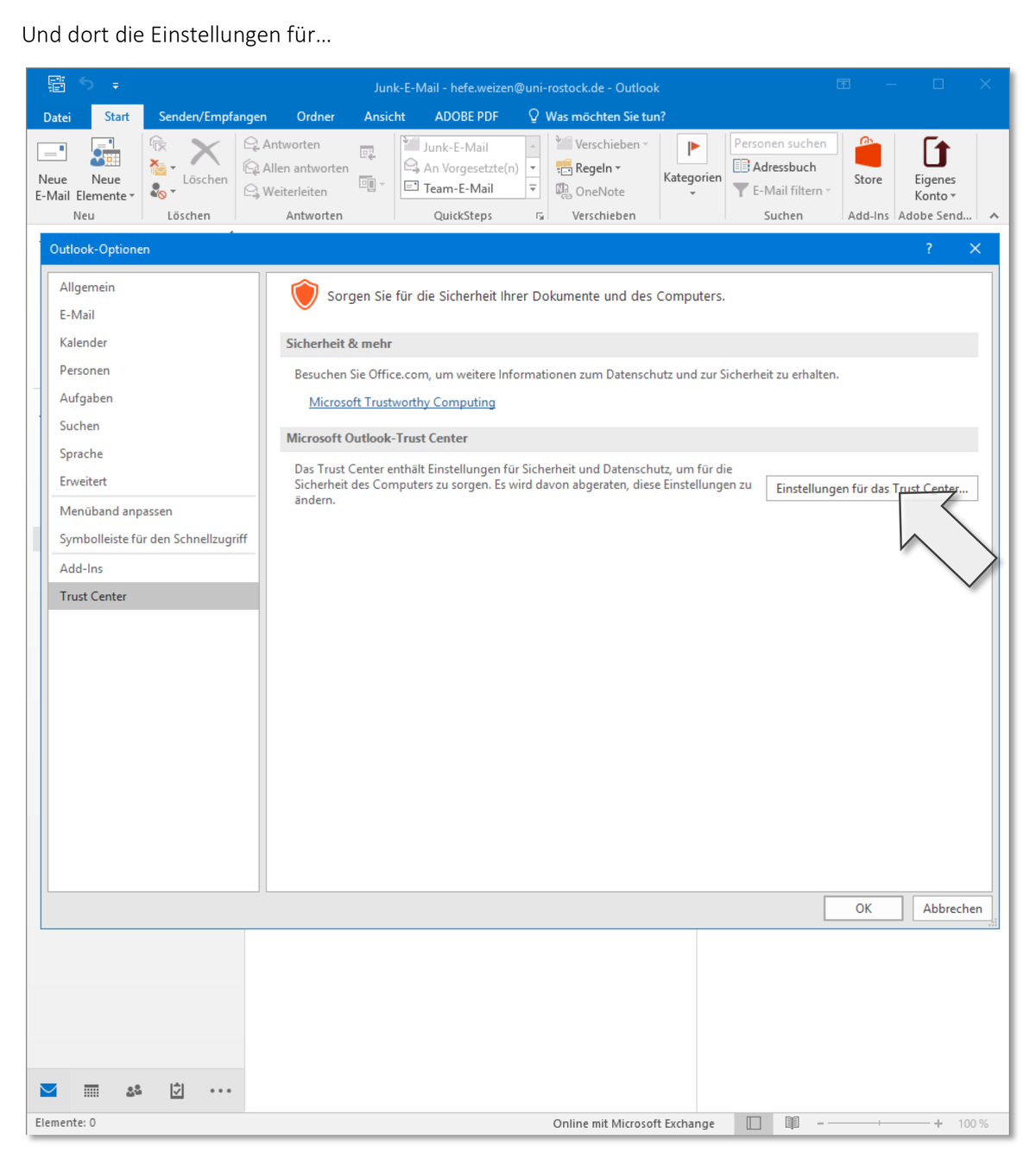
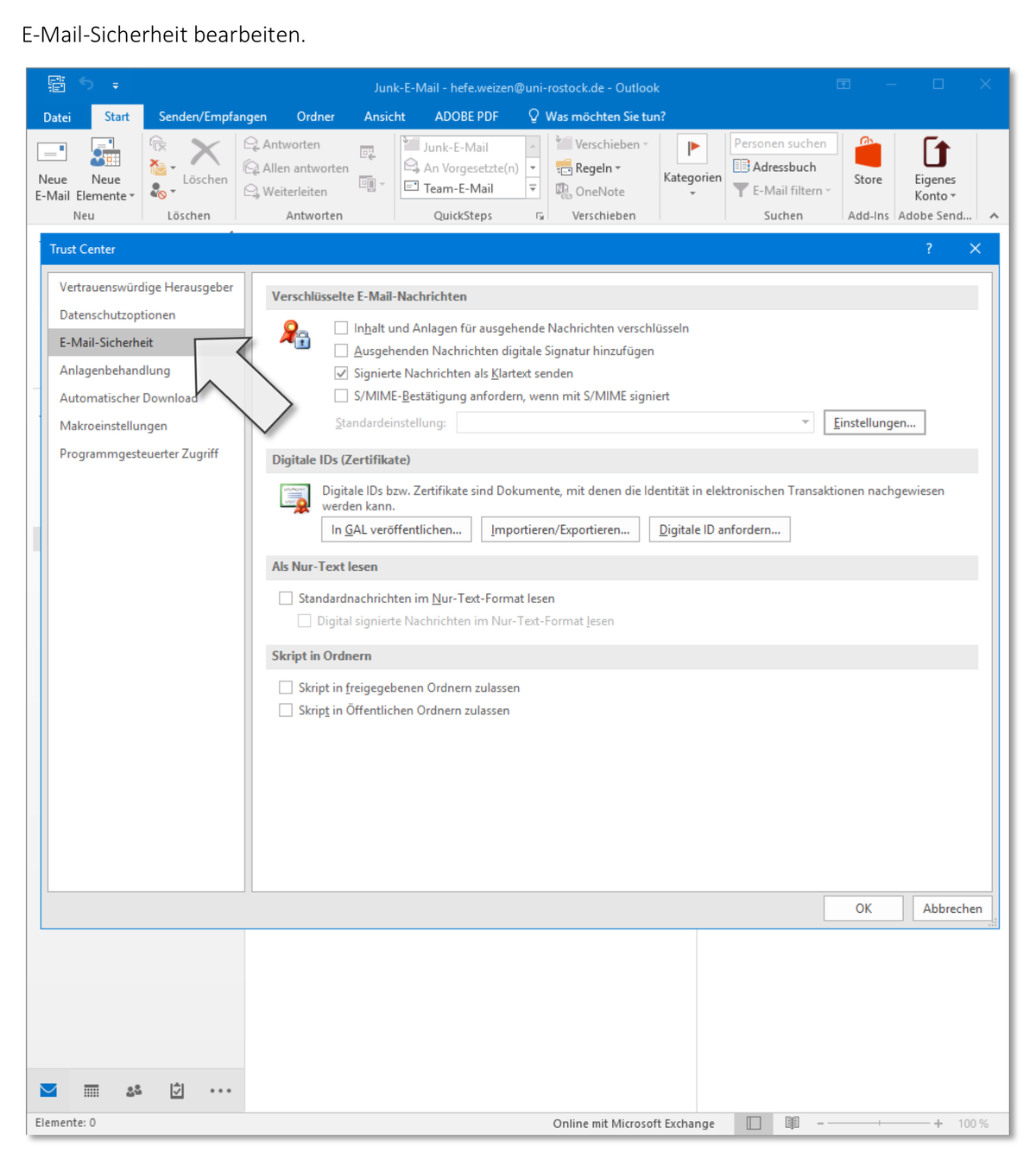
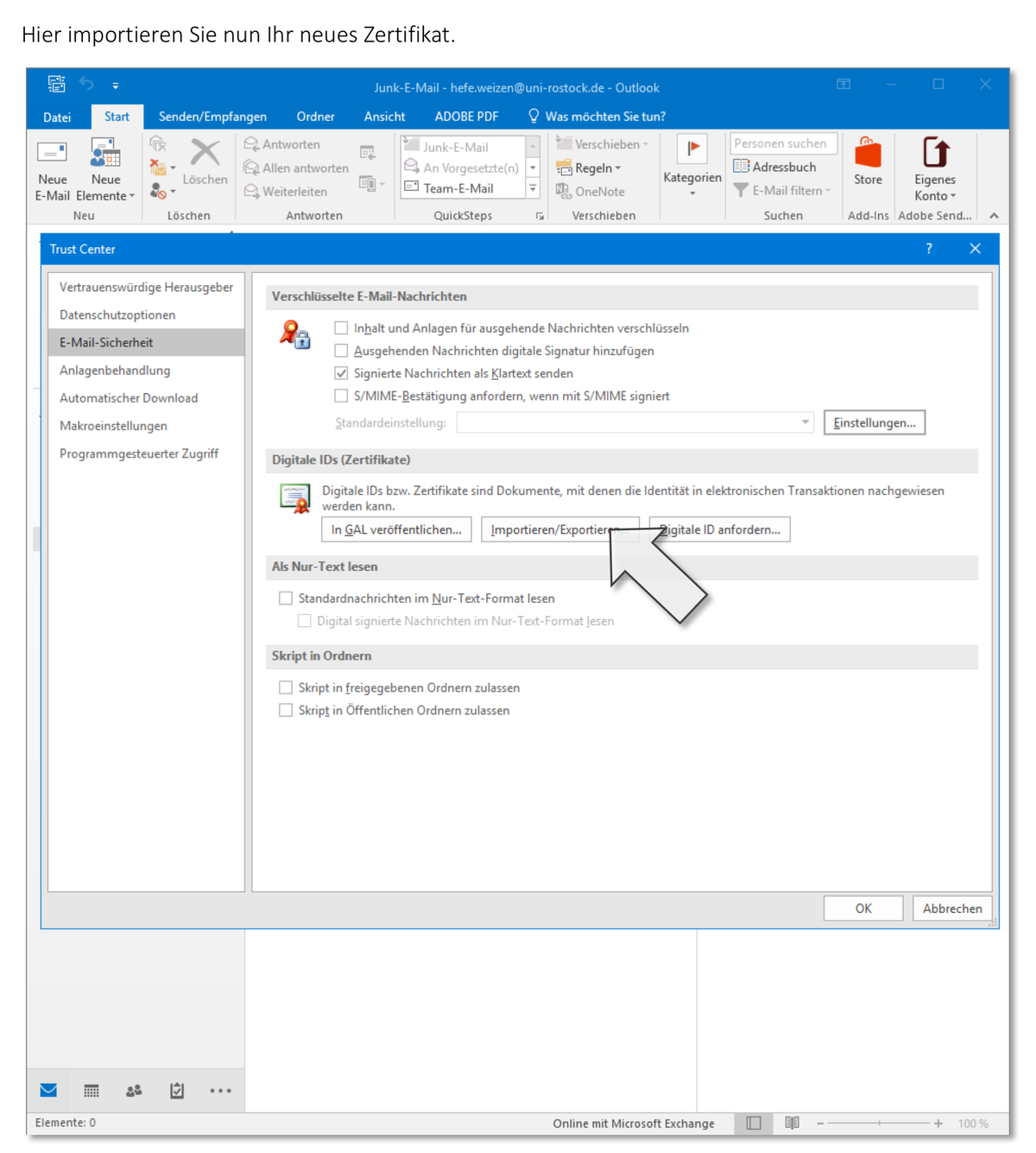
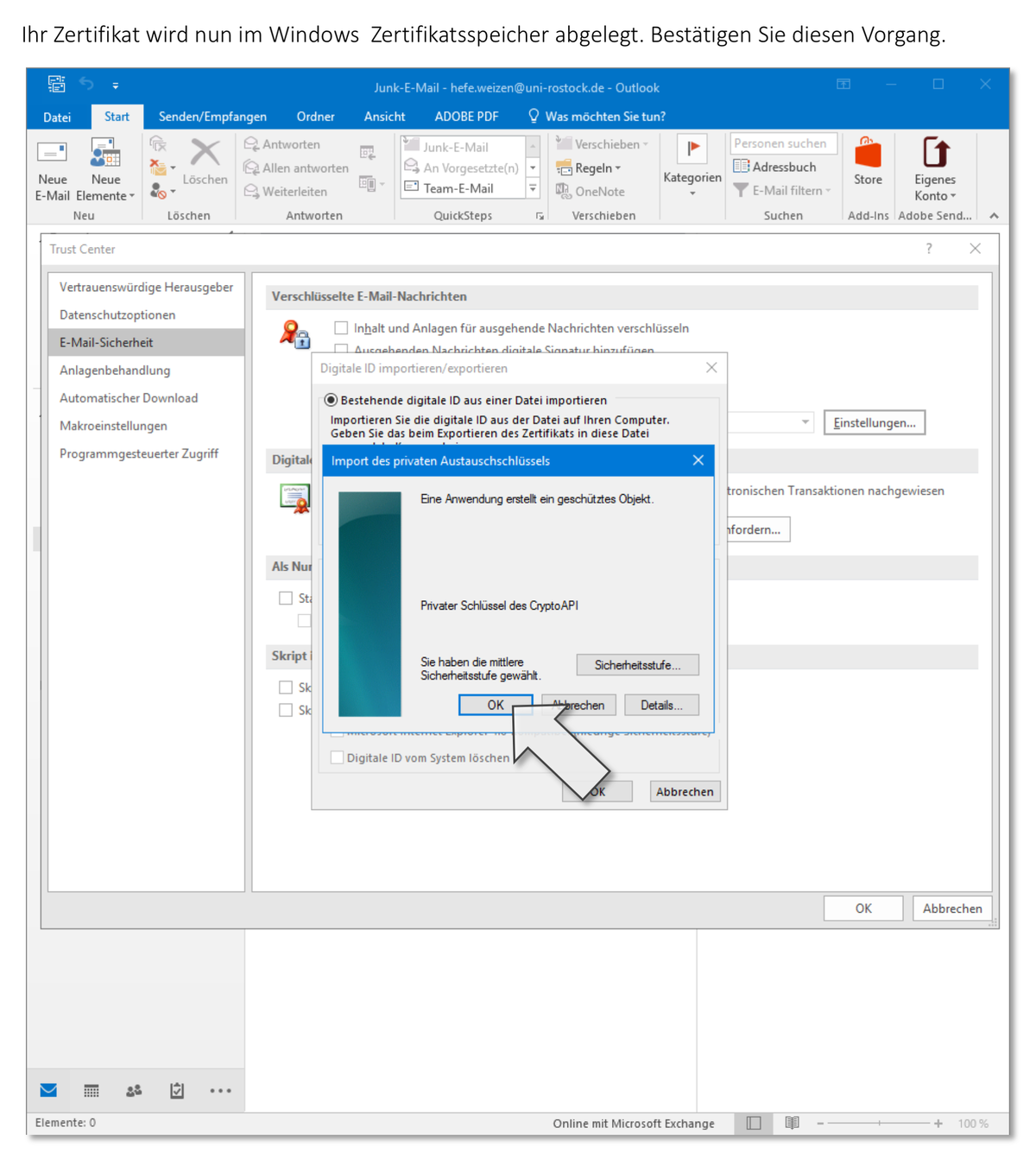
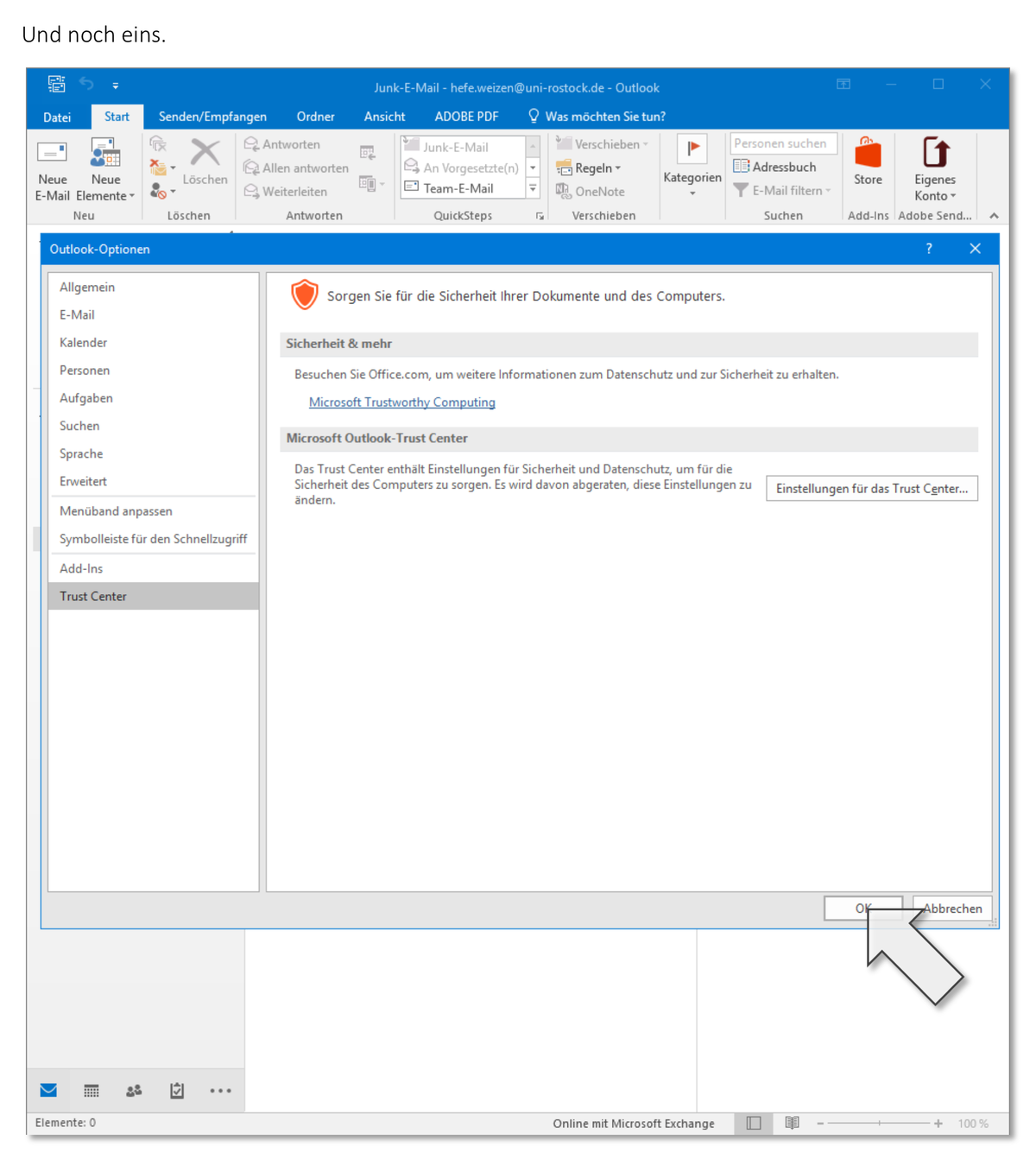
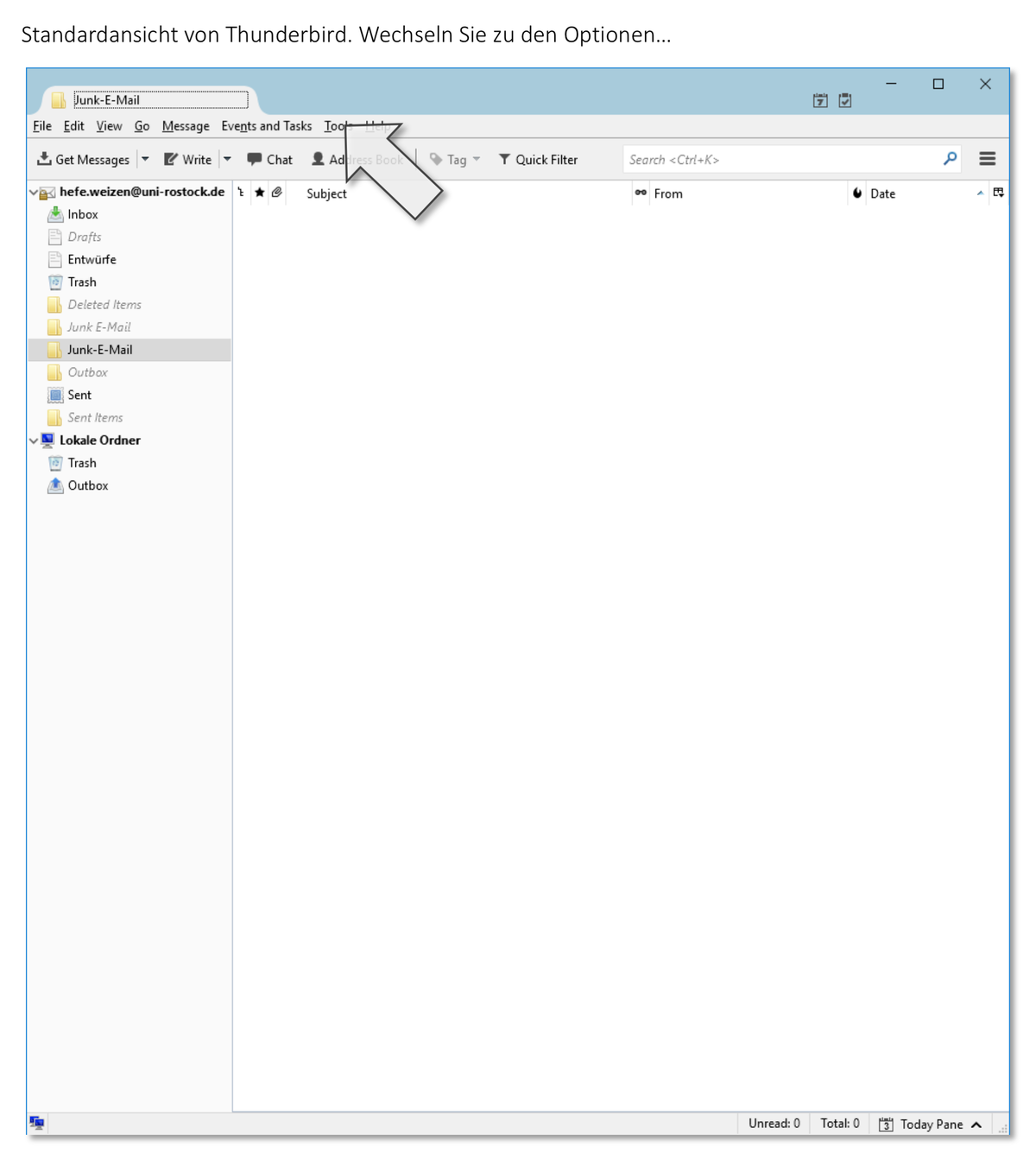
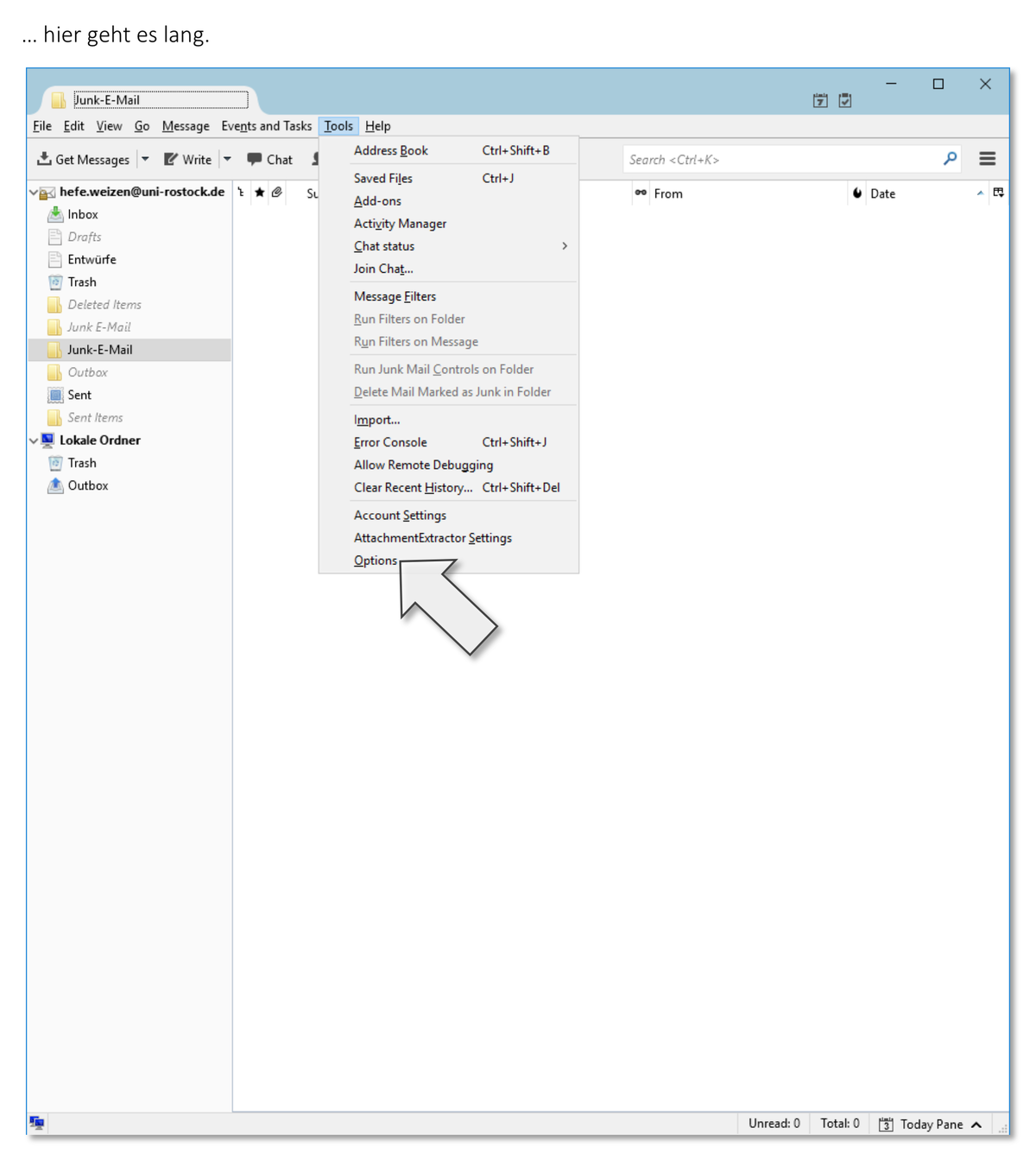
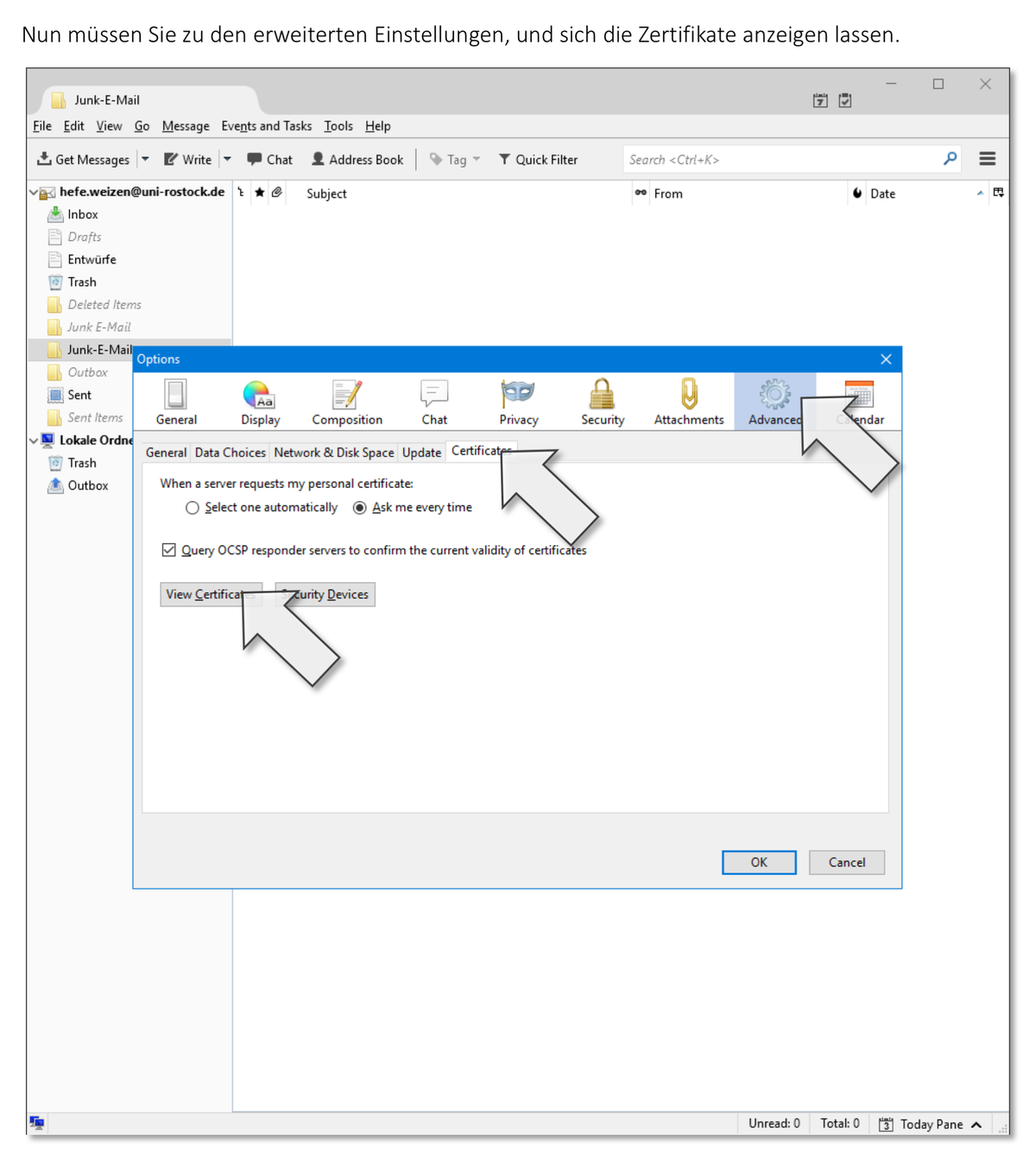
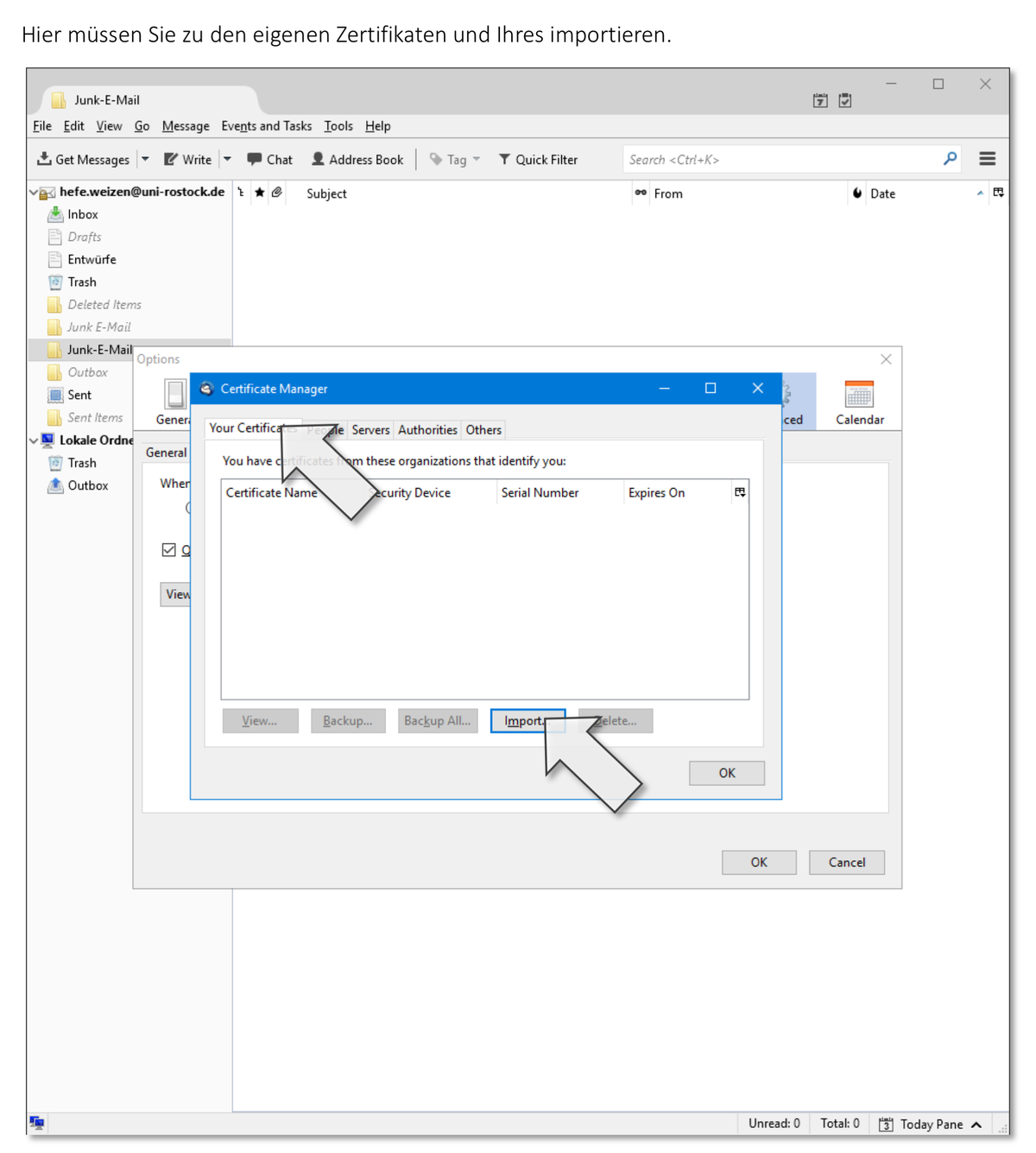
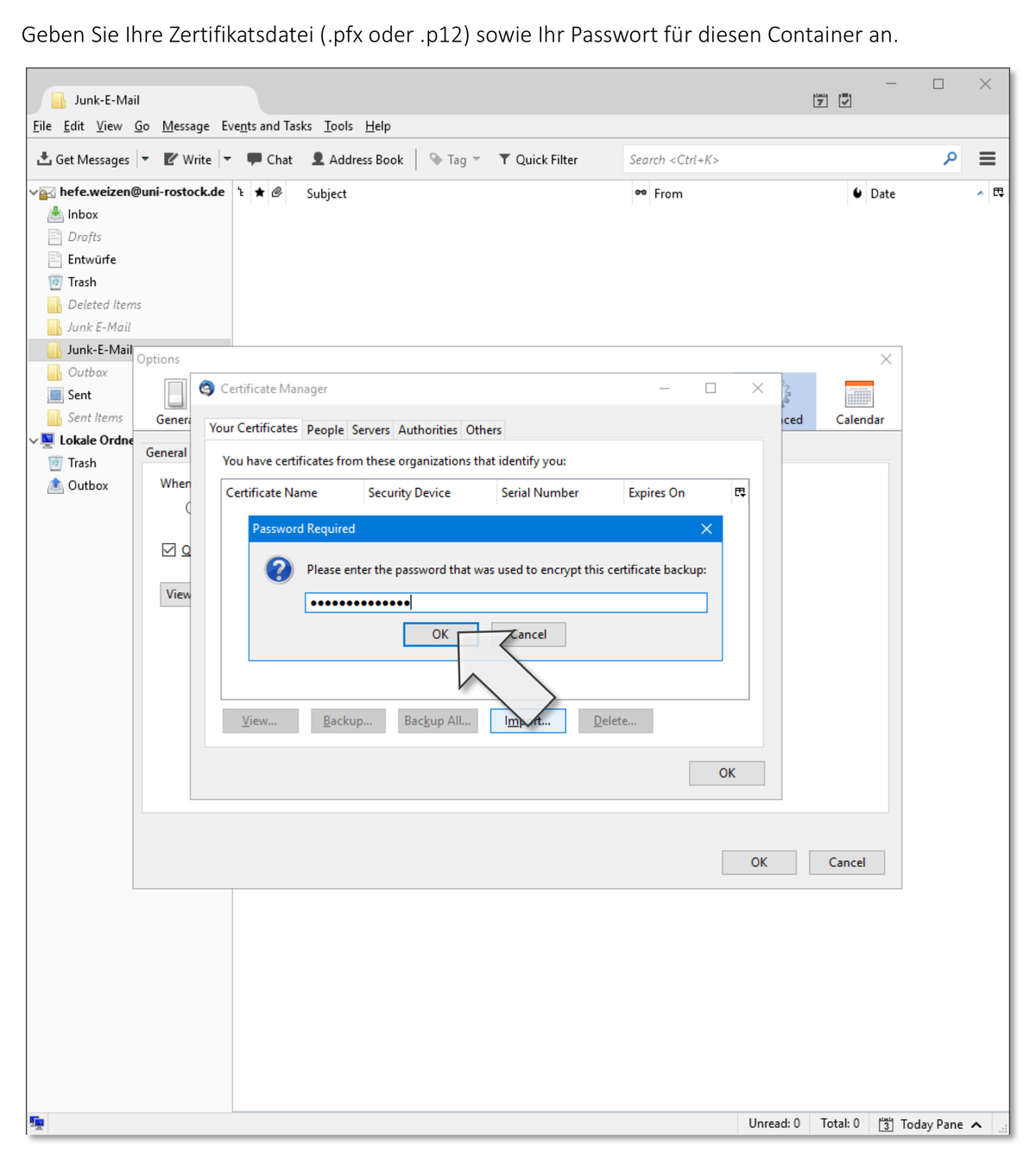
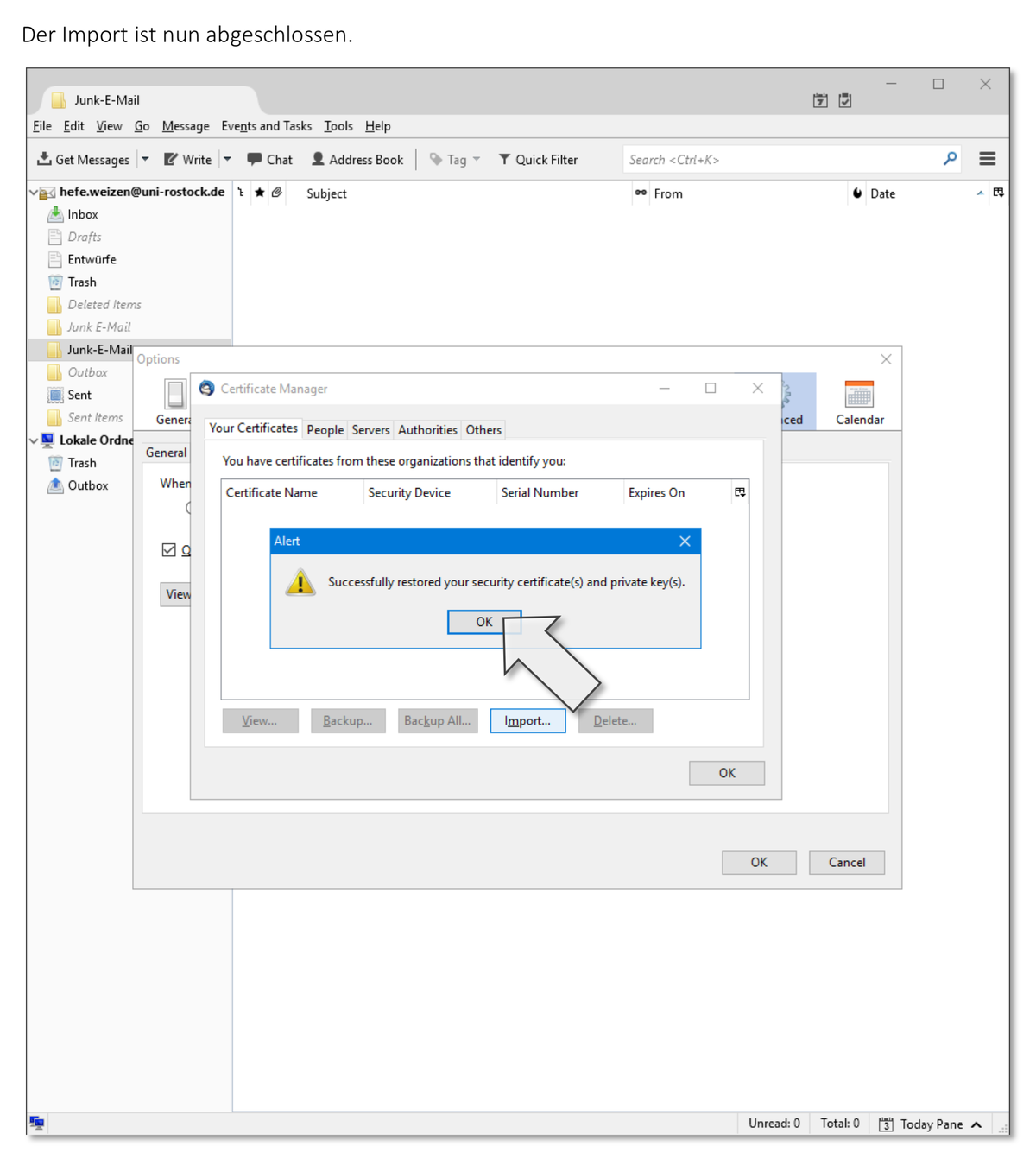
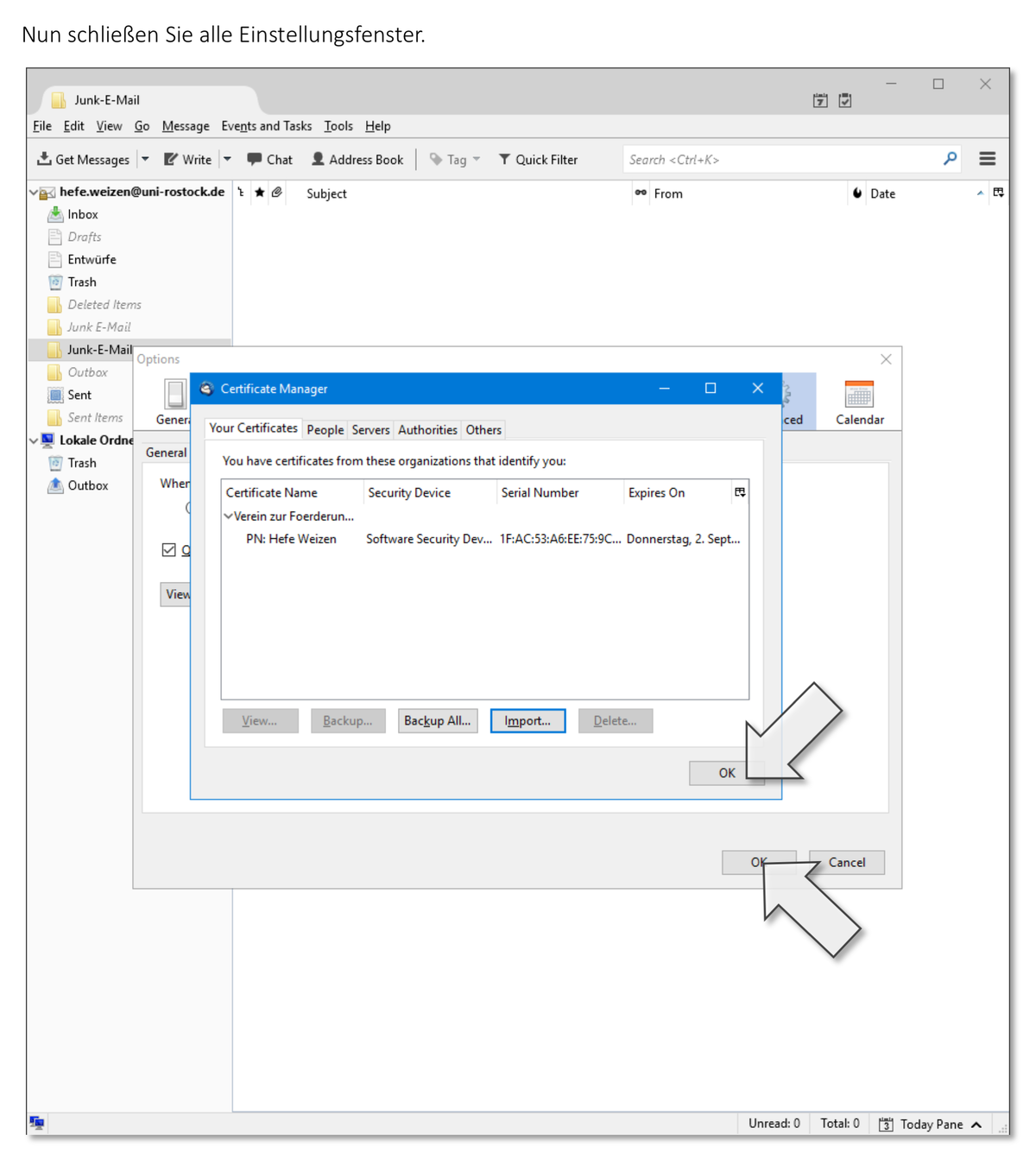
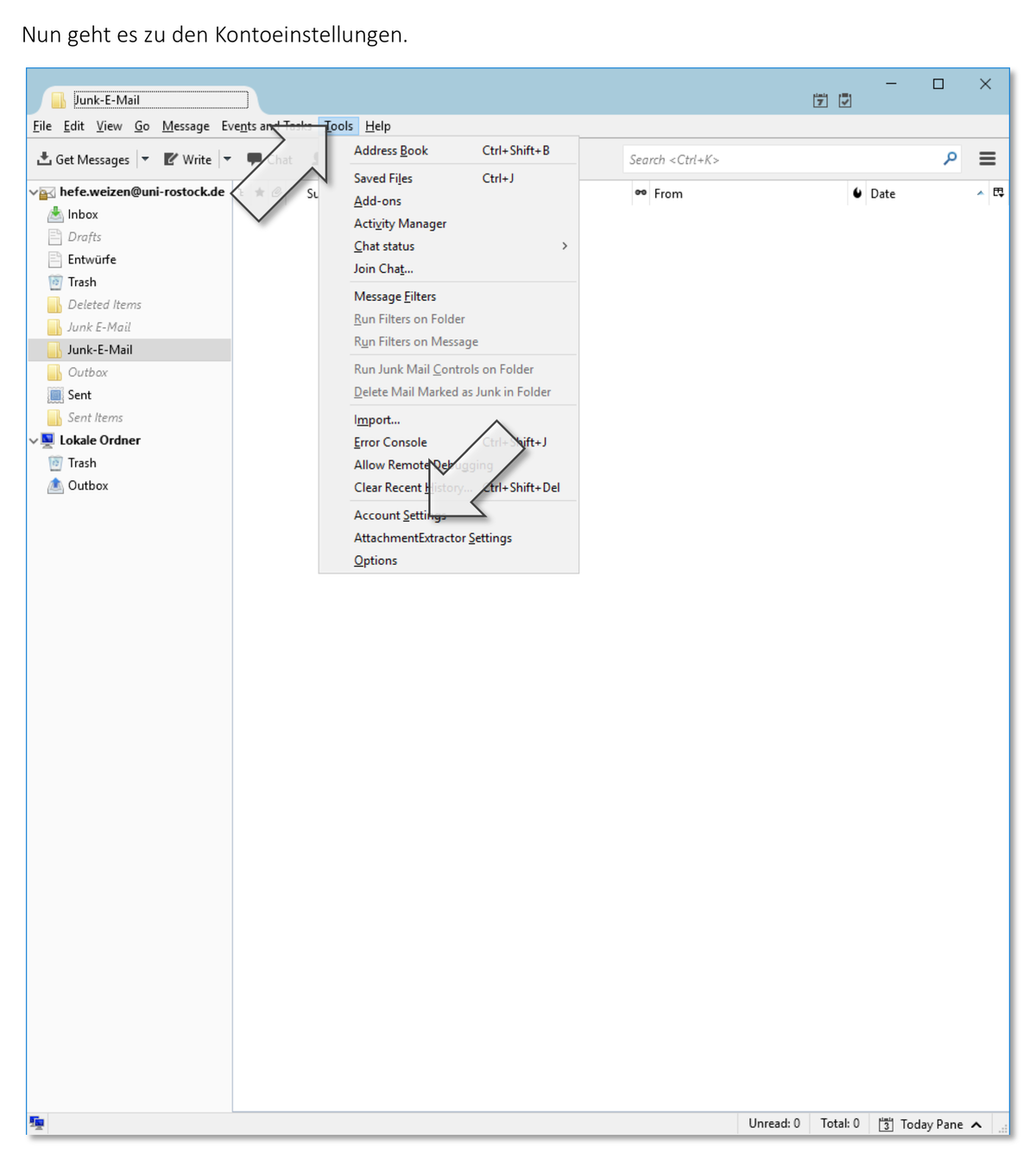
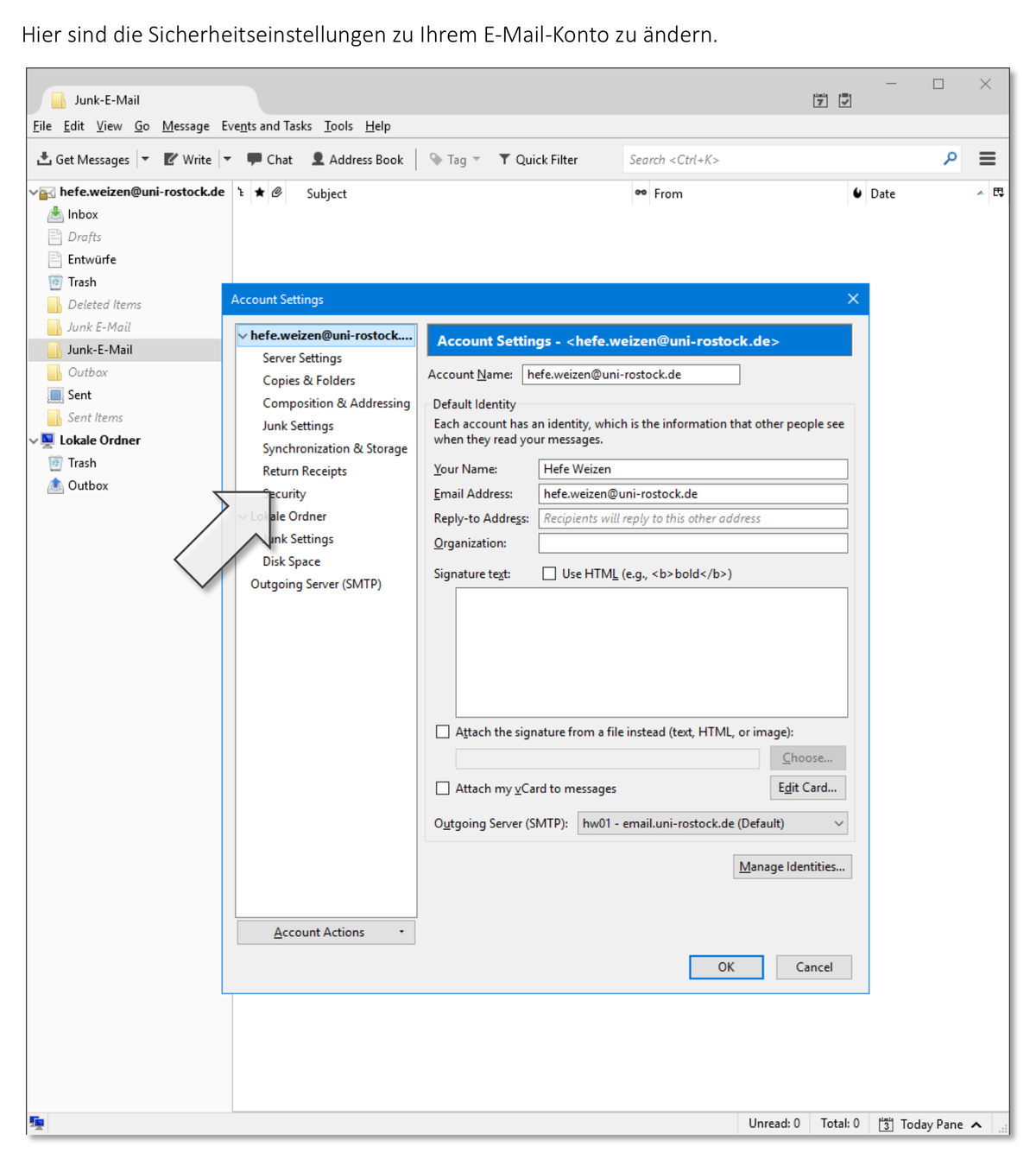
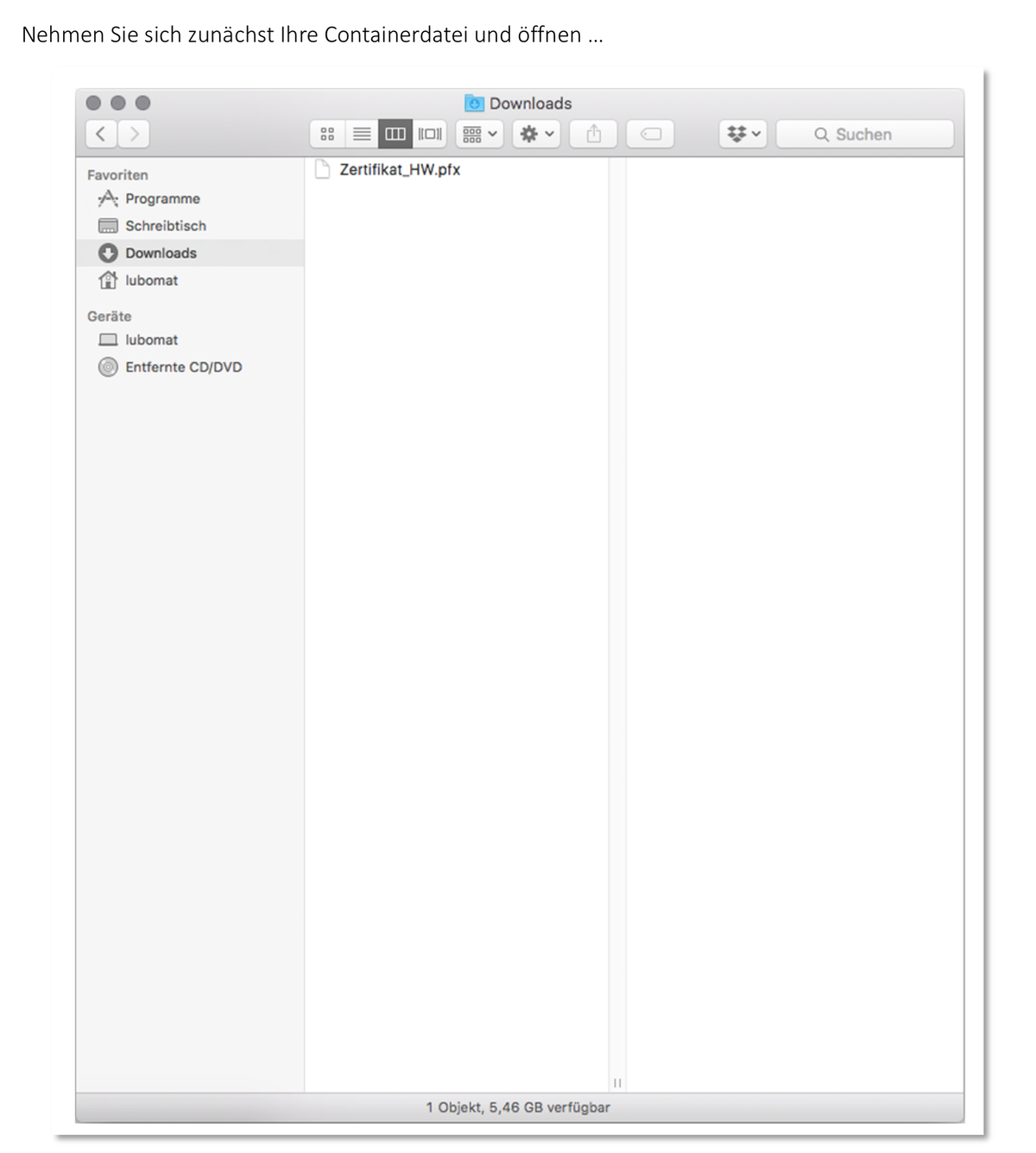
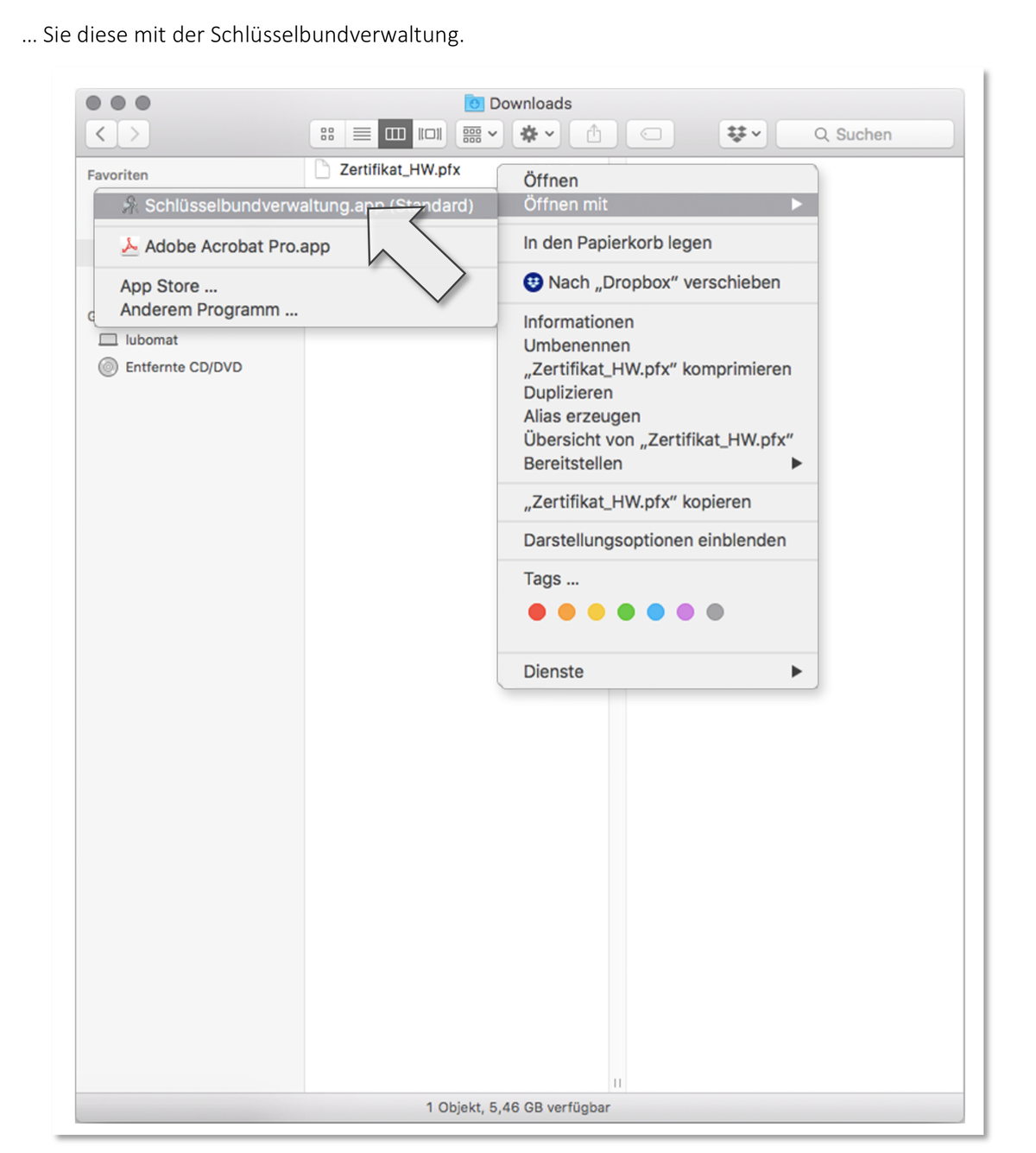
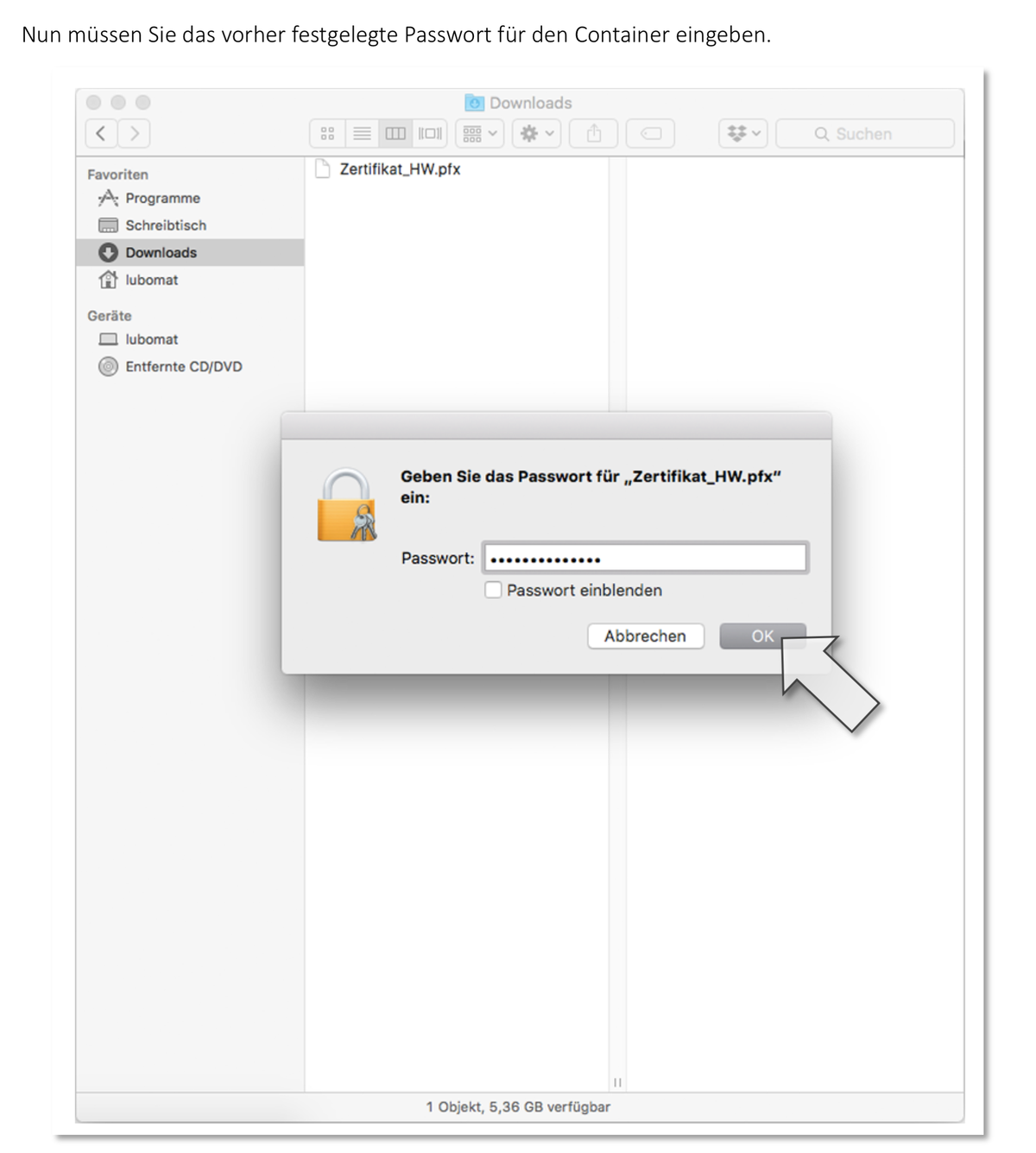
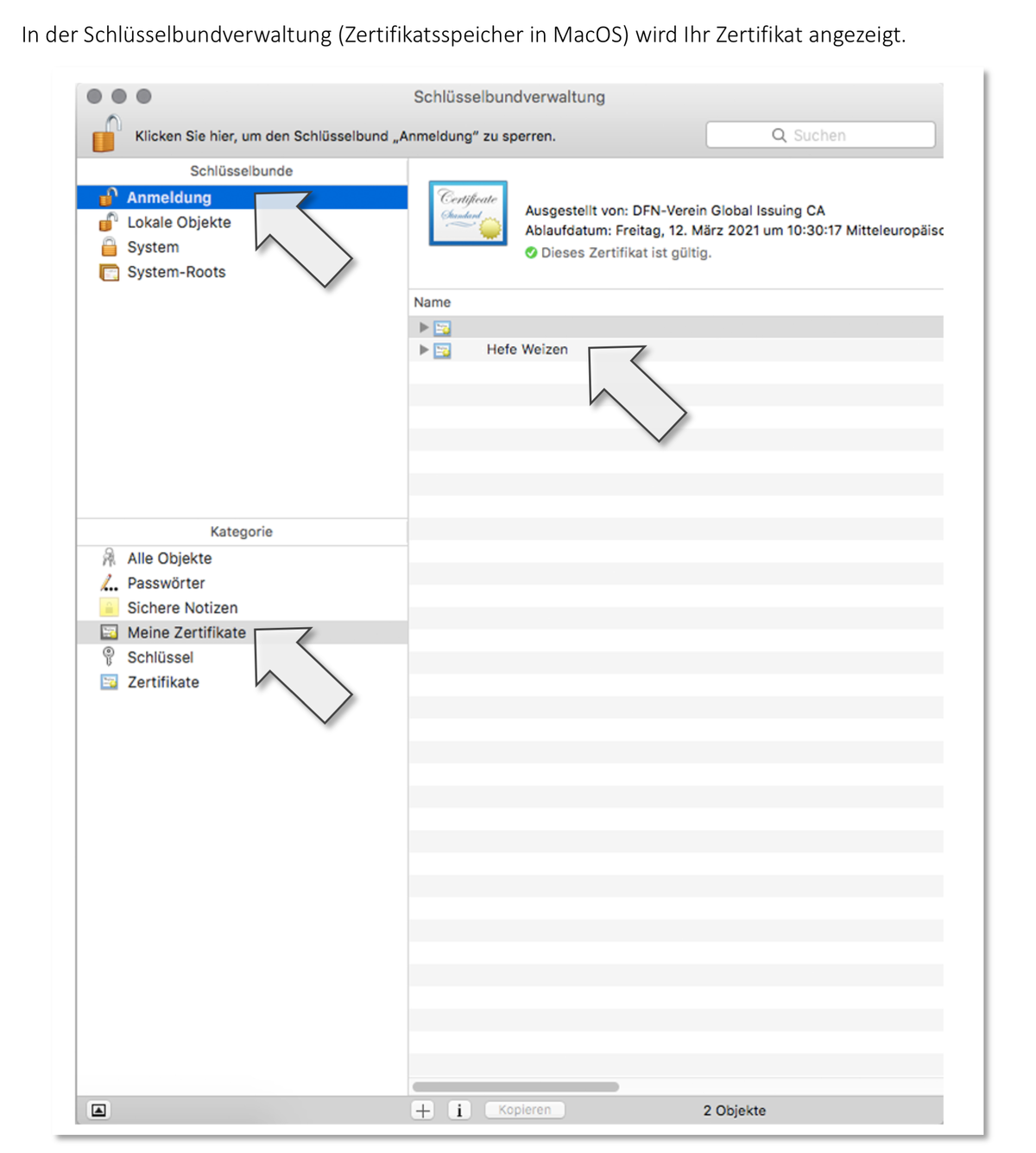
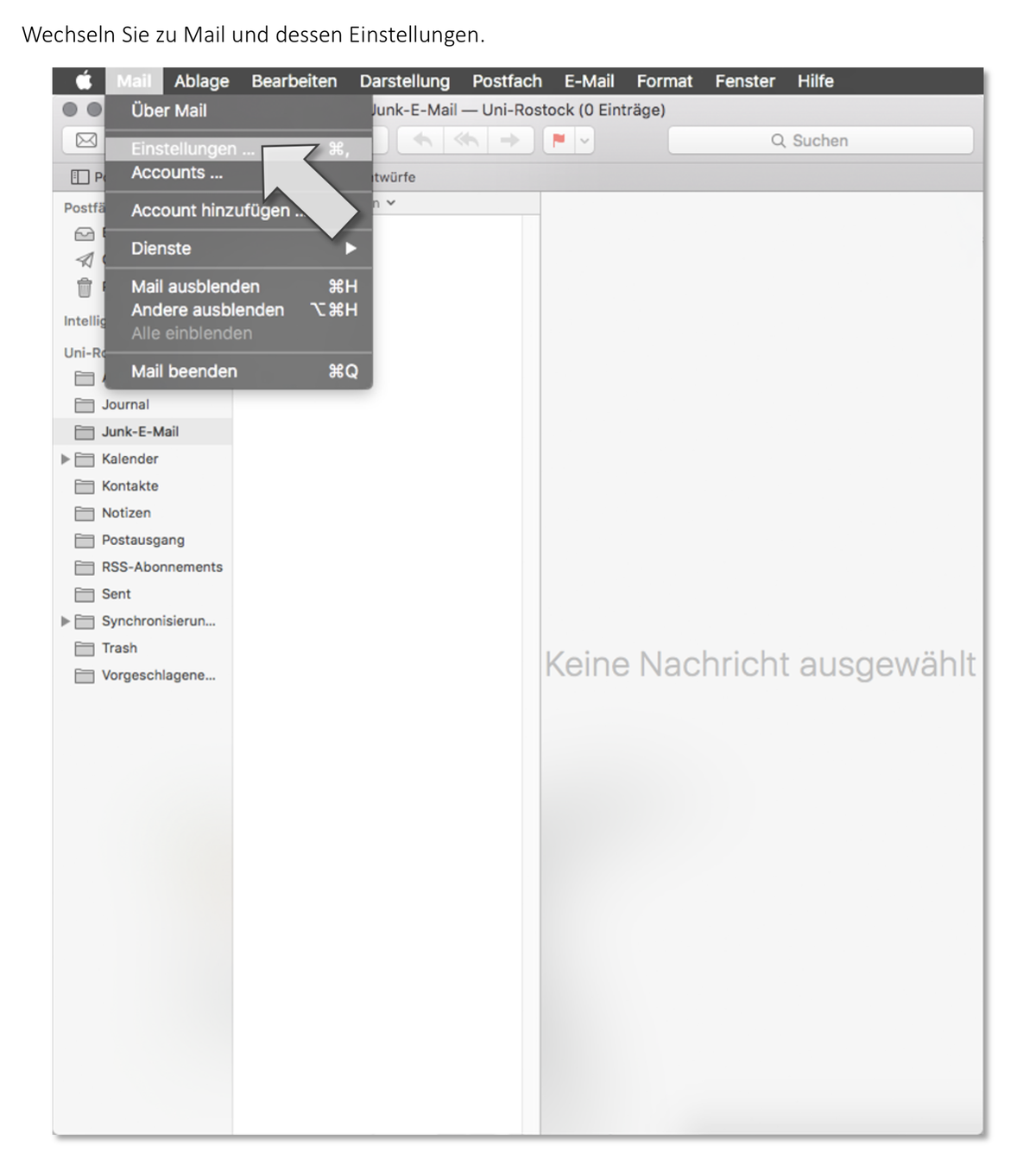
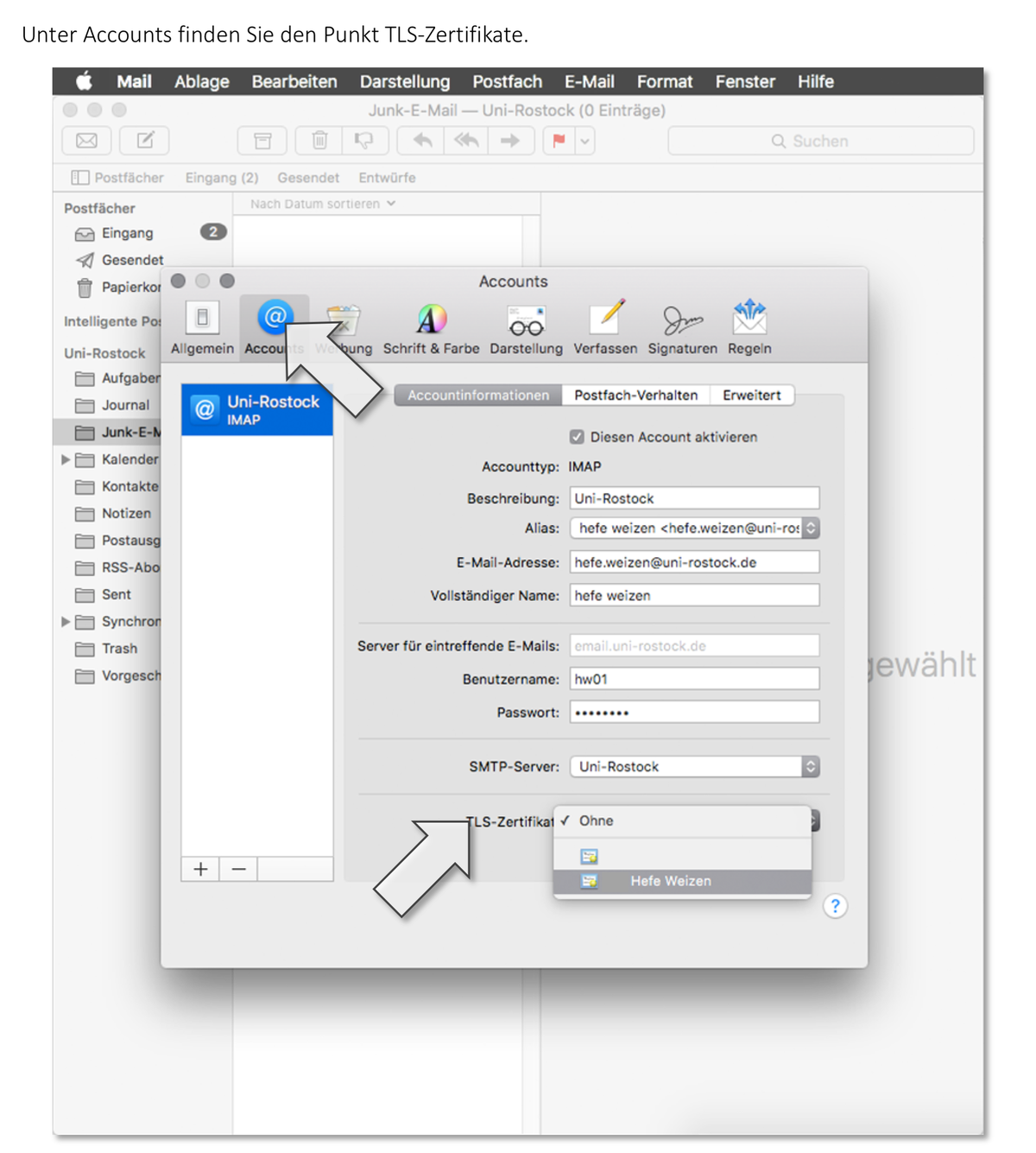
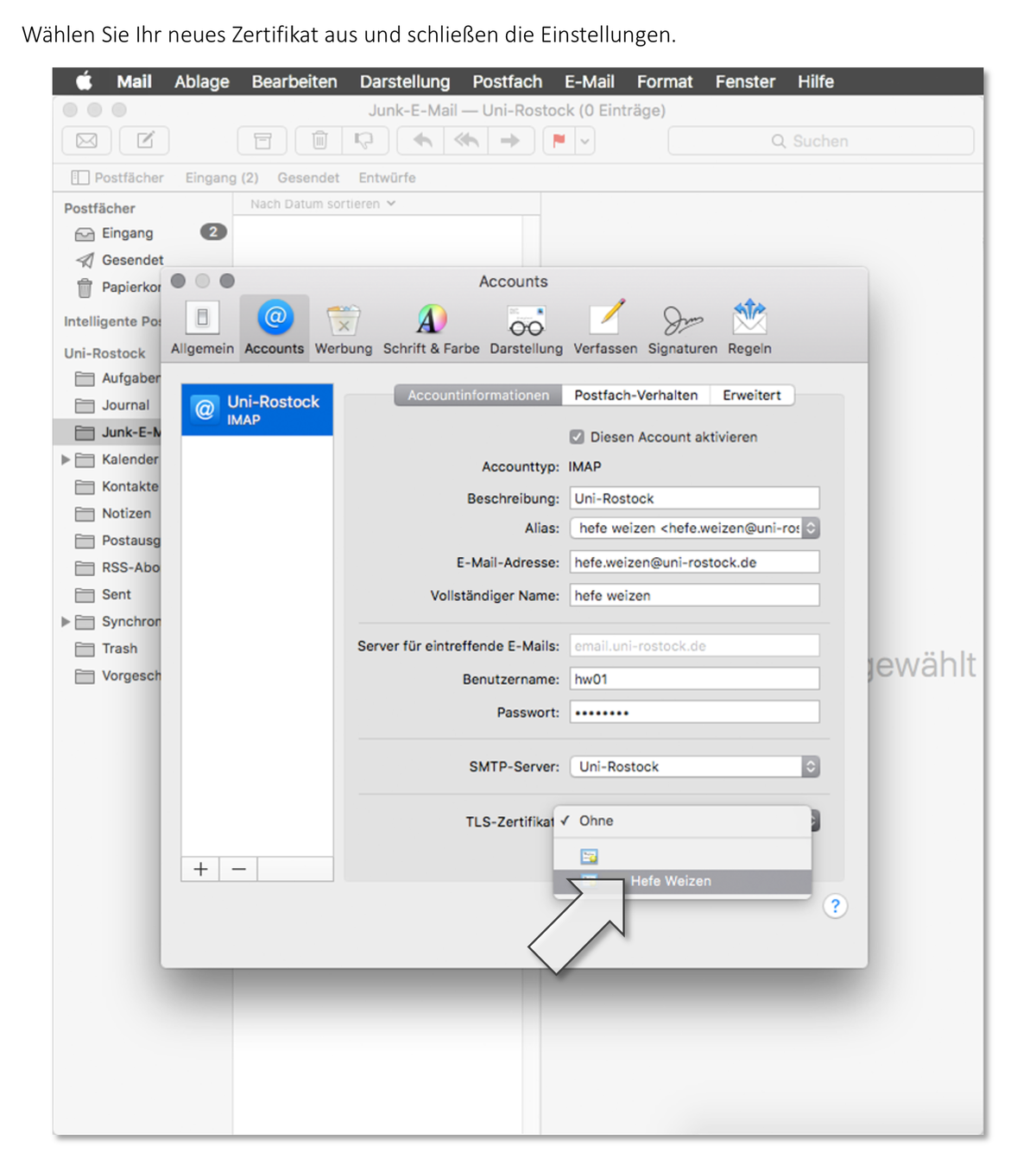
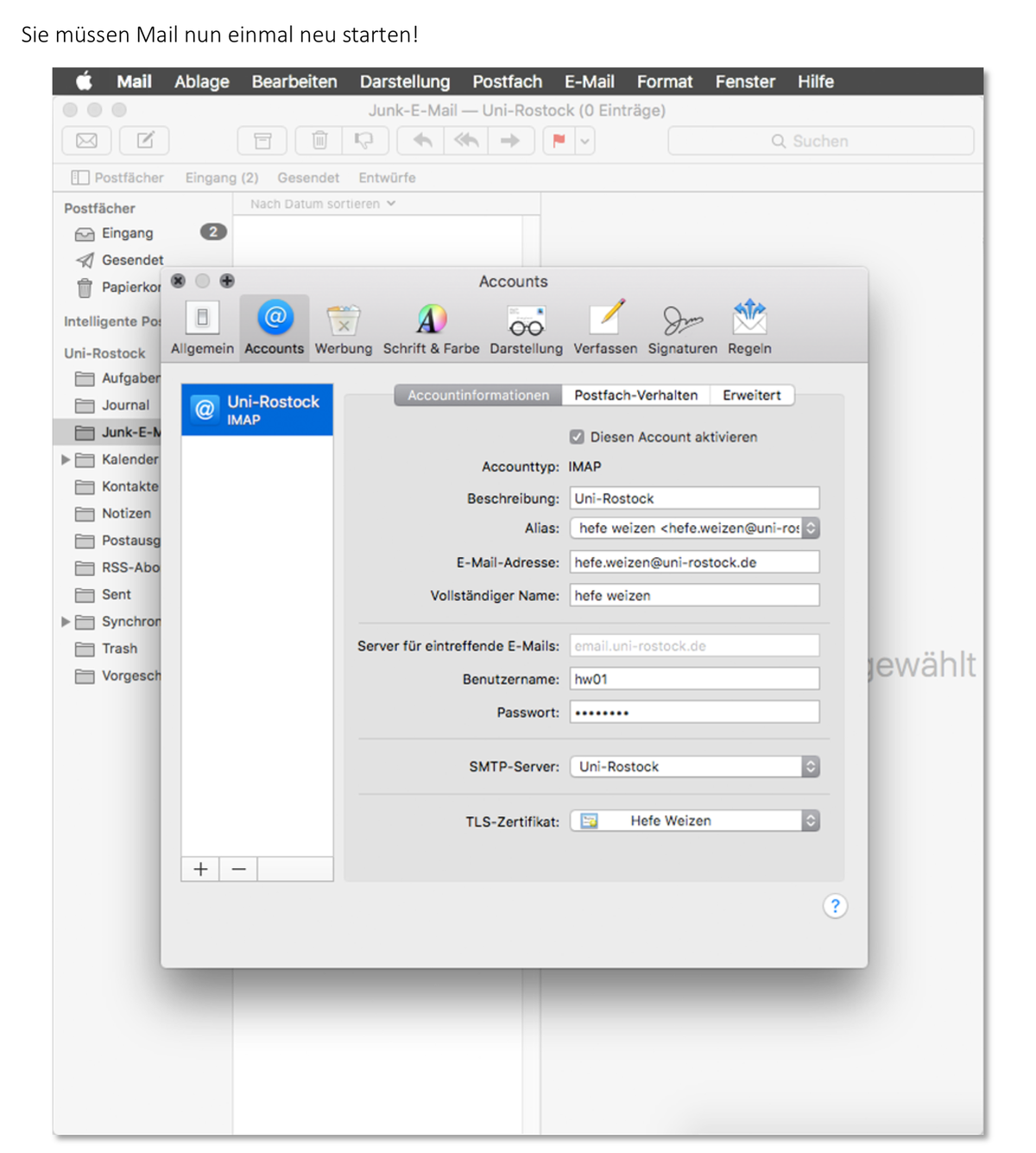
To be able to sign emails, you need a mail program to which you grant access to your certificate and your private key. For this, you must import this information either directly into your mail program or into your operating system. The following instructions will help you with this somewhat complex step.